EasyManua.ls Logo

Byron Home Easy HE-403 - User Manual

Byron Home Easy HE-403
2 pages
Print Icon
To Next Page IconTo Next Page
Loading...
RE-INVENTING THE HOME
HOME
easy
HE-403 Remote control
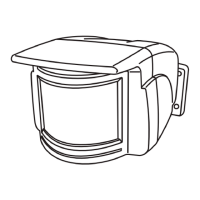
Outdoor PIR
V1.0
Installation:
The HE-403 Outdoor PIR adds extra security and ease of
use to your Home Easy products
-Selectable timer setting
-10Metre Detection Range
-IP44 Weather Proof
-25 Metre Wire Free Range
-Battery Powered 3*AAA
The HE-403 allows you to control your Home EasyReceiver sockets or modules
via a wire free remote control PIR sensor. When the PIR beam is broken the
outdoor PIR will switch on your Remote control sockets for between 15
seconds and
4 Minutes. Ideal for controlling out door lighting, staircase lighting and house
hold lighting for added security.
1. Fist select your required location, it's recommended that the PIR is installed
approximately 3 metres off the ground (ideally under the eaves of the building)
and, away from direct sources of sunlight or heat.
Warning: Avoid installing the Remote Control PIR onto metallic surfaces
and above heating vents as this will affect the operating performance.
2. Remove the PIR unit from the base and Using the mounting bracket as a
template mark and drill appropriate holes and fix the bracket securely using
the appropriate screws and wall plugs (included).
1. Unclip the battery cover from the bottom of the
PIR using a small screw driver.
Changing Batteries:
2. Remove the batteries and replace using 3
new 'AAA' batteries, making sure the polarity
is correct.
Always dispose of old batteries in an
environmentally responsible way
3. Replace the battery cover making sure the rubber seal is correctly
aligned and firmly push the case together.
Rubber seal
Avoid Direct Heat
Sources
Detection Distance
Question and Answer IconNeed help?

Do you have a question about the Byron Home Easy HE-403 and is the answer not in the manual?

Summary

HE-403 Remote control Outdoor PIR

Product Description

Adds extra security and ease of use to Home Easy products with selectable timer, detection range, and weatherproofing.

Installation Guide

Guide on selecting location, drilling holes, and securely mounting the PIR unit using the provided bracket.

Heat Source Warning

Warning against installing the PIR onto metallic surfaces or above heating vents to maintain operating performance.

Changing Batteries

Battery Replacement Procedure

Steps to unclip the cover, replace 3 AAA batteries correctly, and reassemble with the rubber seal aligned.

Pairing and Deleting Controls

Pairing Remote Control

Procedure to pair up to six remote control units with a HomeEasy receiver by setting switches and pressing buttons.

Deleting Remote Control

Steps to remove a paired PIR from a HomeEasy receiver's memory using the 'Learn' button and 'DEL' switch.

Timer and Mode Settings

Setting Activation Timer

How to adjust the PIR activation duration from 15 seconds to 4 minutes using a dial on the unit.

Day;Night Mode Selection

Instructions to set the PIR to operate 24 hours a day or only in low light conditions using the 'LUX' button.

Detection Area and Specifications

Adjusting Detection Area

Information on the PIR's 110-degree detection area and how to reduce it using included clip-on covers.

Product Specifications Summary

Details of the HE-403 model, including battery type, wireless range, frequency, and IP rating.

Troubleshooting and Support

Common Activation Issues

Troubleshooting for no activation, continuous ON, or random activation, suggesting battery checks and location adjustments.

RF Range Reduction Factors

Explanation of how materials like brick, metal, and glass affect the wireless signal range of the PIR unit.

Contact Information

Contact details including address, helpline number, phone, fax, website, and email for support.

Byron Home Easy HE-403 Specifications

General IconGeneral
BrandByron
ModelHome Easy HE-403
CategoryLight Fixture
LanguageEnglish