Hardware Installation:
JBOD Mode
Connect the external power adapter to the Hard Drive Dock
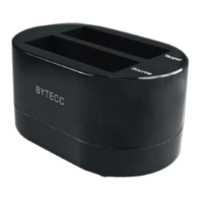
Install 1 or 2 hard drives into the dock in either drive bay
Connect the USB cable or eSATA cable from the hard drive
dock to the computer system and then press the power
button
The operating system should now detect the hard drive(s)
and make them available
The hard drives may need to be partitioned/formatted using
a disk management utility before you can access them
Duplicator Mode
Connect the external power adapter to the Hard Drive Dock
Install 2 hard drives into the dock. Make sure to place
the drive with the data you want copied (Source) into the
“Source” bay. The destination disk (Destination) should be
equal or larger in capacity than the source disk.
Press the power button. The Mode LED should be red.
Once both drives are installed, press the Start button. The
ModeLEDwillashing,waitfor5Seconds,themodeLED
willOFF,andthenPresstheStartbuttonagaintoconrm
the duplication progress. You will see the HDD active LED
ashinguntilthewholedestinationprogress.Whenthe
duplication of hard drive successfully complete, all the LED
are OFF


 To Next Page