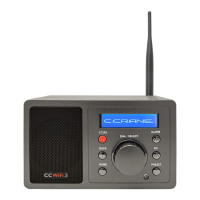
CC WiFi 3 Page 6
Owners Record/Unpacking .........................................................
Safety Instructions ......................................................................
Location of Controls/Features Radio ..........................................
Location of Controls/Features Remote .......................................
First Time Setup .......................................................................
Using the BACK and HOME buttons ..........................................
Choosing a Radio Station ...........................................................
Searching Directly for a Specic Station ....................................
Changing the Volume .................................................................
4 Ways to Store a Radio Station as a Preset .............................
4 Ways to Play a Stored Radio Station Preset ...........................
Radio Preset Page (Optional for Advanced Users) ....................
Using Bluetooth Functionality .....................................................
Bluetooth Radio Controls ............................................................
Setting the Time and Date ..........................................................
Setting the Alarm ........................................................................
Setting the Sleep Timer ..............................................................
Settings Menu Options ...............................................................
About Your Network Name (SSID) .............................................
About Your Wireless Security Key (password) ...........................
Having Trouble Connecting to a Wireless Network ....................
Error Messages Explained .......................................................
Having Trouble Playing a Radio Station .....................................
Having Trouble Finding a Particular Radio Station .....................
Adding a New Station to Skytune ...............................................
Menu Flow Chart ........................................................................
Memory Preset Log ....................................................................
Table of Contents
3
4
7
8
9
10
10
11
11
12
12
13
15
15
15
16
16
17
18
19
19
19
21
22
22
23
25




 To Next Page