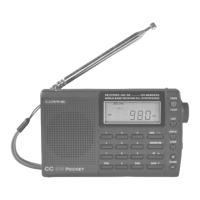
Page 4 CC SW Pocket
Quick Start
1.
Slide
K
(pg. 10) “SENSITIVITY”
switch to “DX” position.
2.
Install two AA batteries in the
g
battery compartment, paying close
attention to orientation of the batter-
iesʼ + and – ends.
3.
Turn on the radio by pressing the
Q
POWER button.
4.
Adjust
Y
“VOLUME”
5.
Select band by pressing the
O
BAND button
6.
Use the
W
“TUNING” knob to
locate a station or by directly
entering a frequency:
a) First, select the
O
BAND you
want
b) press the
P
“FREQ” UENCY”
button
c) Enter the frequency on the
{
keyboard.


 To Next Page