CD5 USB Driver Installation and Setup
19
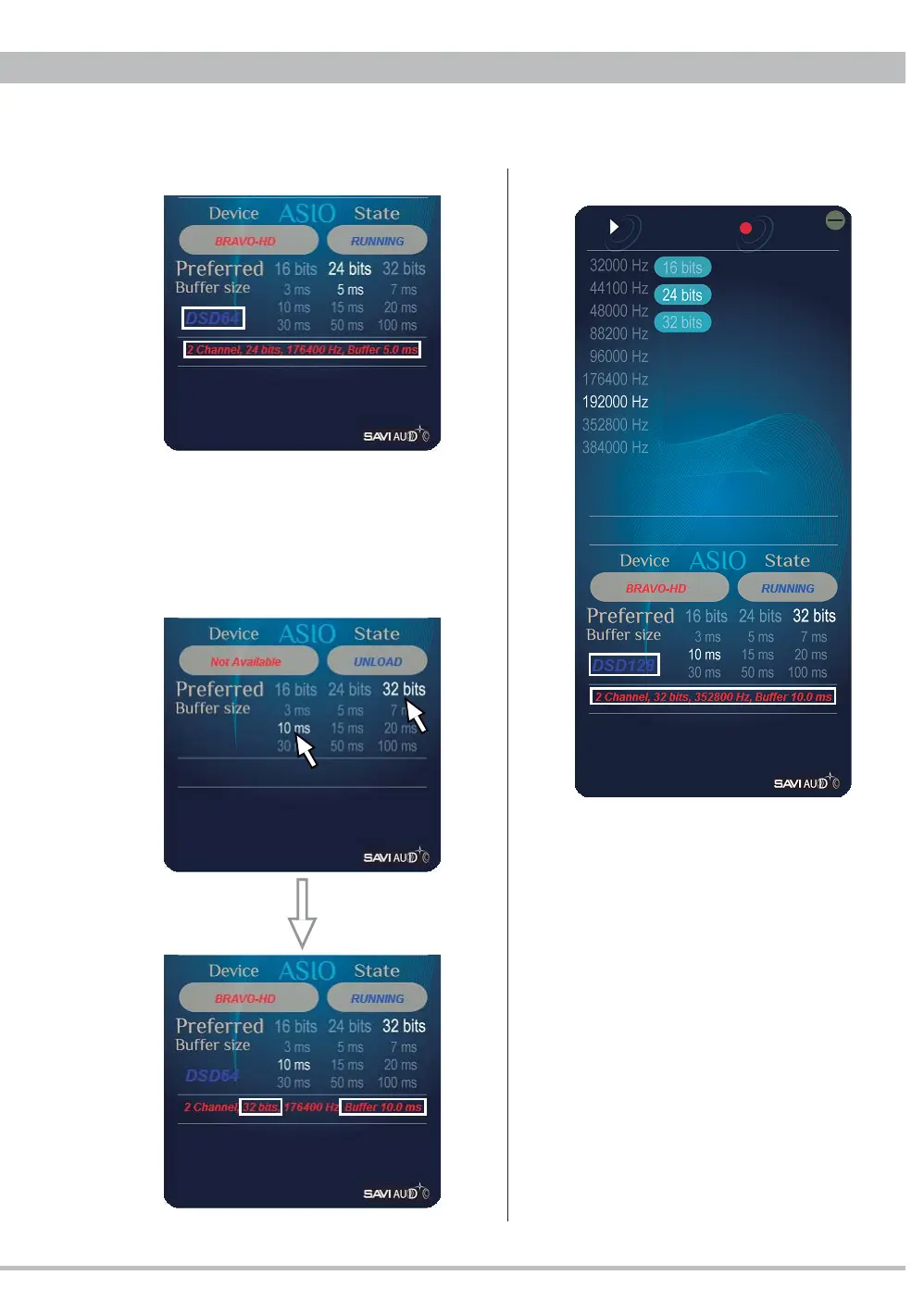
5. Displaying a DSD64/2.8MHz playback.
Note: When playing a DSD file set the bit
rate 24 or 32. 16 bits setting can not play any
DSD.
Ex. Playback after changing to 32 bits and
10ms buffer during stop will show the new
settings.
6. Displaying a DSD128/5.6MHz playback.
Note: Start BRAVO-HD Audio CPL to see a
current playback or change the settings. You
don't need to start it per playback.



 To Next Page