CD PLAYER / USB SOUND SYSTEM CD5
18
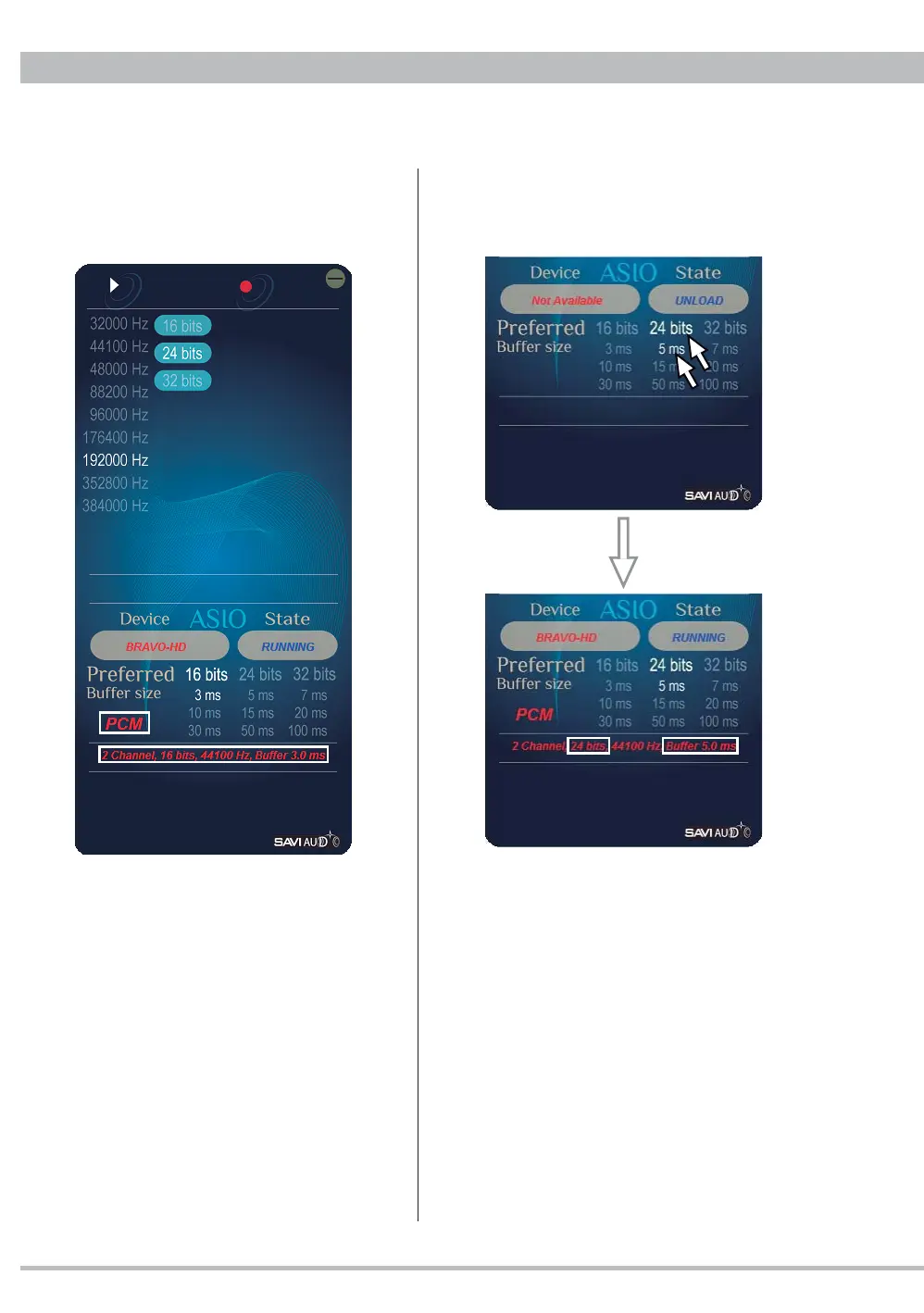
Ex. Playback after changing the bit rate and
buffer size during stop will show the new
settings.
Note: Bit rate setting should be the same as
or more than playback fi le. Otherwise the bit
rate for output is less than the original.
Note: By smaller buffer size setting against
a higher resolution music file a continuous
noise on music from the beginning, pop noise
or interruption may happen. In that case set
the buffer size bigger and restart.
4. PCM, bit rate, sampling frequency and buffer
size of a current PCM playback via ASIO like
a foobar2000 output setting are displayed.



 To Next Page