Error
Selected
input
No
connection
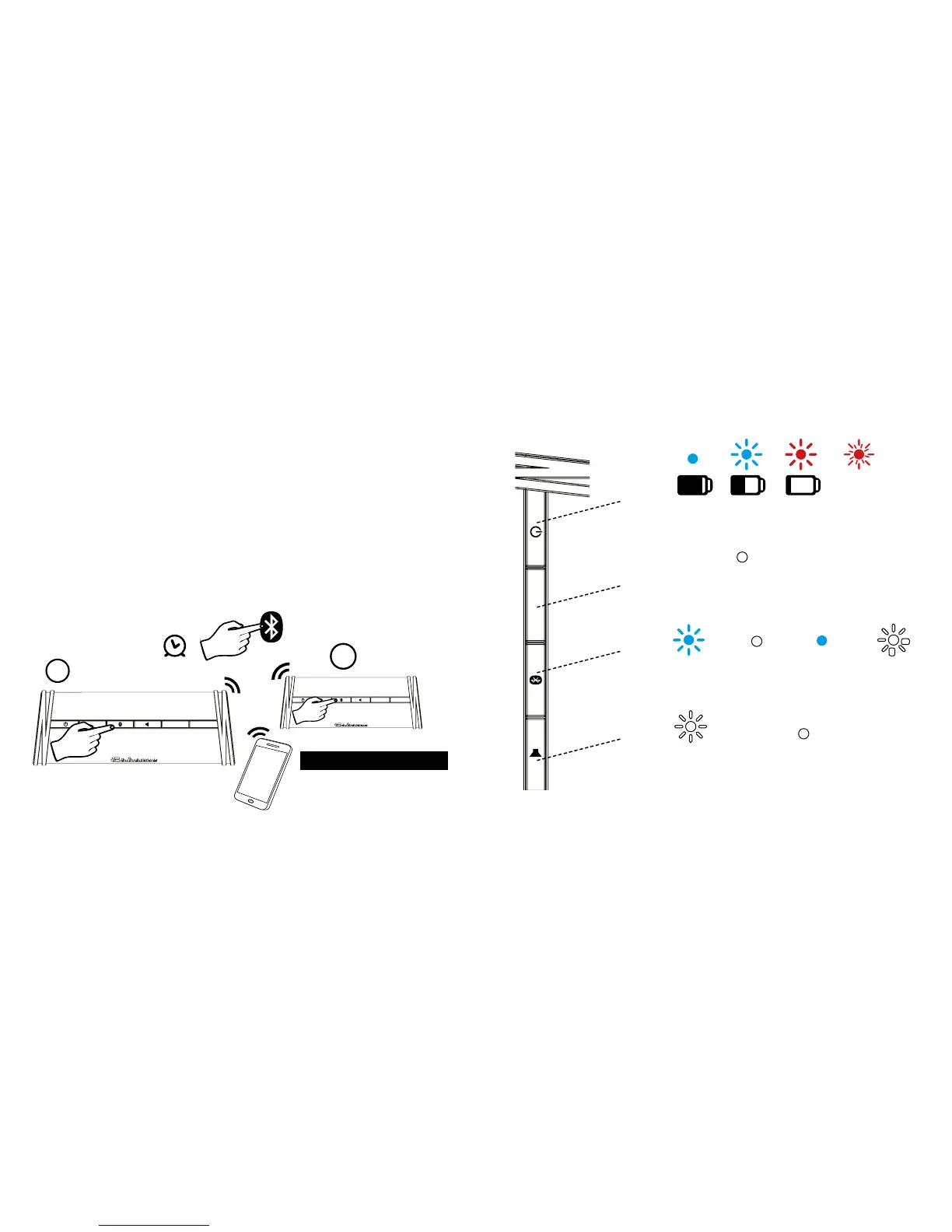
Pairing in
progress
AUX
Selected input
Mute
Mute activated
Maximum volume reached
5’ secs
White
Note: in battery mode, all LEDs are switched o after approx. 5 seconds to
save power. Only the LED display of the selected input remains active.
15
PARTY MODE
First activate the Stereo Mode, then change for Party
Mode:
FROM ONE MODE TO THE OTHER TRUE
WIRELESS MODE
Press the Bluetooth® button on each SWELL for approx.
4 seconds and release it, repeat the operation until you
hear the voice message for the mode you need:
“Party Mode”
“Stereo Mode Left”
“Stereo Mode Right”
Note: The last True Wireless status is saved in both devices
and can only be deleted by pressing the Bluetooth® and
Mute buttons simultaneously. In other words, when both
devices are switched on they connect with each other
automatically if they are within range.
AUX V- V+
SWELL A
AUX V- V+
SWELL B
Swell A and B play simultaneously
4’secs
1
2
14
Selected Input,
2 phones
connected


 To Next Page