7-4 Stereo output, Comms, Osc and Talkback module 8414
S-Type Revision S2005-6
)URQW#SDQH O#6WHUHR#RX WSXW/#&R PPV/#2VF#DQG#7DONEDFN
PR GXOH #;747
:14144 /LWWOLWHV#2122))
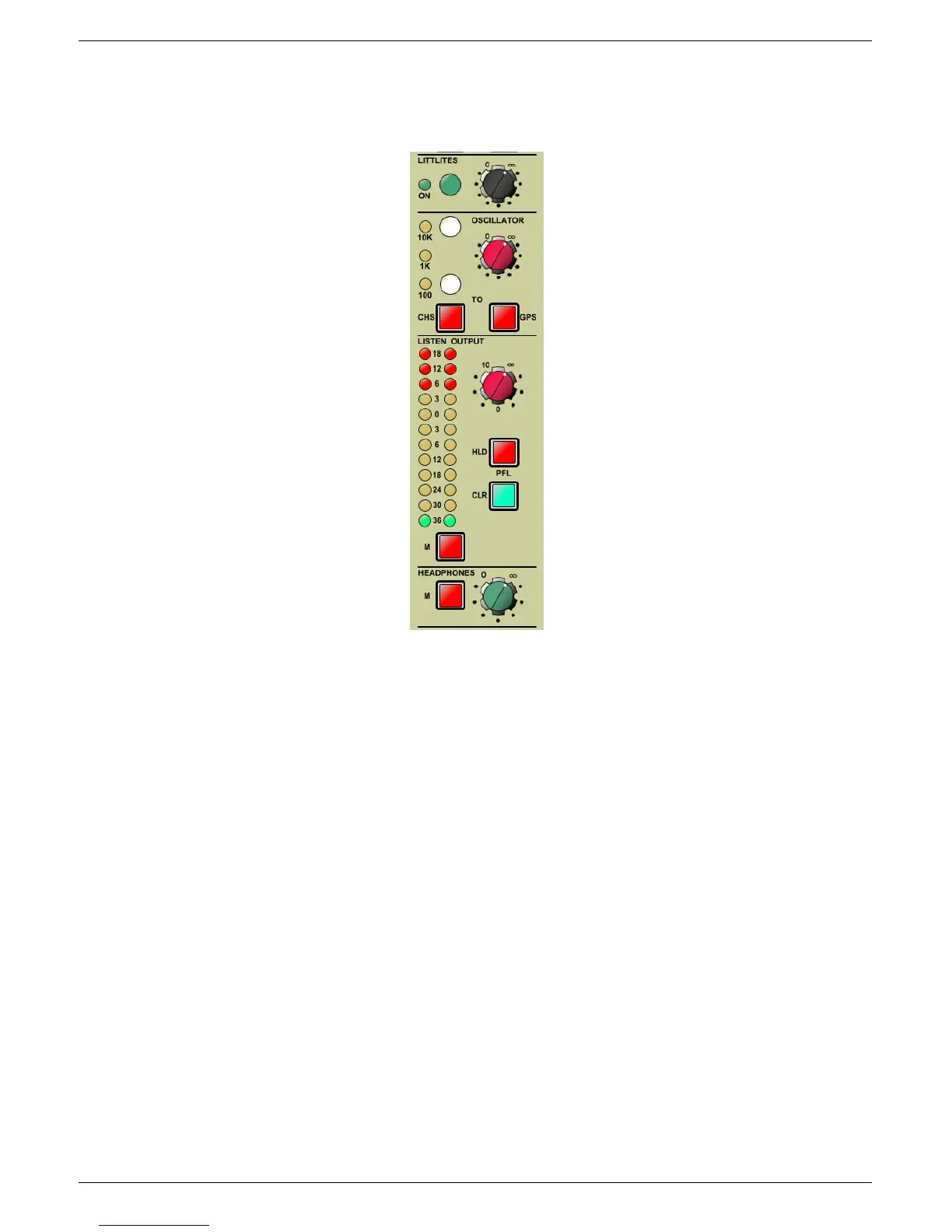
Press this button to switch the littlites ON/OFF. ON is indicated by the adjacent LED
illuminating.
:14145 /LWWOLWH#EULJKWQHVV
This rotary control enables you to adjust the brightness of the littlites.
:14146 2VFLOODWRU#OLQH0XS#WRQH#43N+]
Enabling this switch activates a 10kHz line up tone, which is available for selected
input channels and/or all sub-groups (see 7.1.17 and 7.1.18).
:14147 2VFLOODWRU#OLQH0XS#WRQH#4N+]
When both 10kHz and 100Hz oscillator switches are in the OFF position, a 1kHz line
up tone is available for selected input channels and/or all sub-groups (see 7.1.17 and
7.1.18).
7.1.12 Littlite brightness
7.1.16 Oscillator line up signal level
7.1.18 Groups
7.1.20 Listen output signal level
7.1.21 Hold
7.1.22 Clear
7.1.25 Headphones signal output level
7.1.11 Littlites ON/OFF
7.1.13 Oscillator line up tone 10kHz
7.1.14 Oscillator line up tone 1kHz
7.1.15 Oscillator line up tone 100Hz
7.1.17 Channels
7.1.19 Listen output level meter
7.1.23 Mute
7.1.24 Headphones Mute


 To Next Page
 Loading...