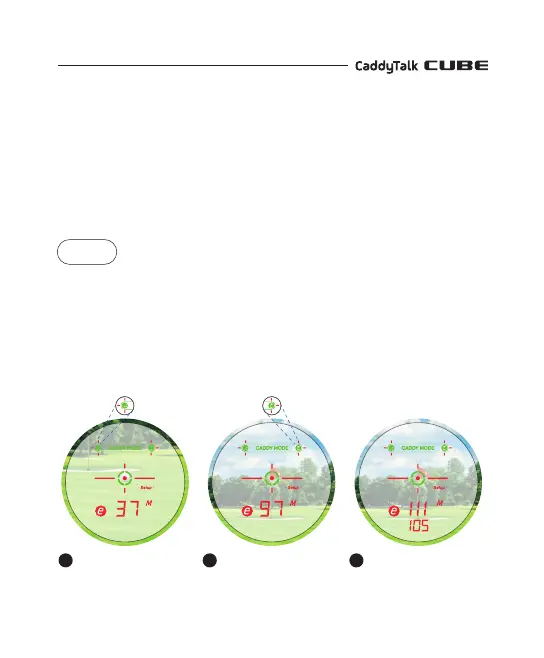
Measure the distance
to the golf ball.
1
Measure the distance
to the target (pin).
2
Show the distance from
the ball to the target
(slope reflection).
3
CADDY MODE
CaddyTalk’s 1st-to-market technology allows you to easily select the right club by
measuring the distance from the golf ball to the target (in the cart or gallery area)
and giving you the recommended distance.
With power on, press the mode button once to activate Caddy Mode.
1) CADDY MODE When the left golf ball icon flashes, hit the golf ball.
2) CADDY MODE When the right flag icon flashes, aim the target.
Then, view the recommended distance indicating the current slope of the
golf ball location to the target.
CASE
Alignment
state
Blinking state


 To Next Page