EasyManua.ls Logo

CaddyTalk CUBE - User Manual

CaddyTalk CUBE
23 pages
Print Icon
To Next Page IconTo Next Page
Loading...
MANUAL
Question and Answer IconNeed help?

Do you have a question about the CaddyTalk CUBE and is the answer not in the manual?

Summary

Introduction to CaddyTalk CUBE

Package Includes

Package Contents

Lists all items included in the CaddyTalk CUBE box.

Descriptions of CaddyTalk CUBE

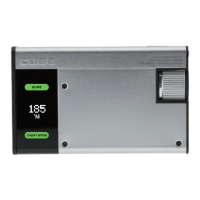
Device Components Overview

Identifies and describes the main physical parts of the CaddyTalk CUBE rangefinder.

LCD Description

Understanding the LCD Display

Explains the meaning of various symbols and indicators shown on the device's LCD screen.

Power & Measurement

Measuring Distance

Details the step-by-step process for measuring distances using the rangefinder.

M-Slope (Magic Slope)

Magic Slope Functionality

Explains the M-Slope feature, which recommends distances based on ballistics and altitude.

E-Slope (Environmental Slope)

Environmental Slope Correction

Describes the E-Slope feature that adjusts measurements using environmental factors like temperature and altitude.

Caddy Mode

Caddy Mode Operation

Outlines how to use the Caddy Mode for selecting clubs based on distance and slope.

Guidelines for Using Caddy Mode

Resetting the Caddy Mode Sensor

Provides instructions on how to reset the gyroscope sensor for Caddy Mode accuracy.

Pin Finder

Pin Finder and JOLT Vibration

Explains the Pin Finder function and the JOLT vibration notification for measurement completion.

Measurement Unit Setting

Units and Slope Mode Settings

Guides on changing distance units and selecting slope modes (E-Slope, M-Slope, Non-Slope).

Brightness Adjustment

Viewfinder Brightness Adjustment

Guides users on how to adjust the brightness levels of the viewfinder display.

Side Panel LCD Display

Side Panel Display Interpretation

Describes the information shown on the external LCD display, including slope and Caddy Mode status.

Slope and Caddy Mode Combinations

Illustrates the different combinations of slope modes and Caddy Mode available.

Battery Level; Charging

Battery Status and Charging

Explains how to check the battery level and the correct procedure for charging the device.

Specification

Product Specifications

Provides a technical overview of the CaddyTalk CUBE, including dimensions, range, and battery life.

Safety Warning, Care and Maintenance

Safety and Maintenance Guidelines

Lists essential safety guidelines and recommendations for maintaining the device.

Summary

Introduction to CaddyTalk CUBE

Package Includes

Package Contents

Lists all items included in the CaddyTalk CUBE box.

Descriptions of CaddyTalk CUBE

Device Components Overview

Identifies and describes the main physical parts of the CaddyTalk CUBE rangefinder.

LCD Description

Understanding the LCD Display

Explains the meaning of various symbols and indicators shown on the device's LCD screen.

Power & Measurement

Measuring Distance

Details the step-by-step process for measuring distances using the rangefinder.

M-Slope (Magic Slope)

Magic Slope Functionality

Explains the M-Slope feature, which recommends distances based on ballistics and altitude.

E-Slope (Environmental Slope)

Environmental Slope Correction

Describes the E-Slope feature that adjusts measurements using environmental factors like temperature and altitude.

Caddy Mode

Caddy Mode Operation

Outlines how to use the Caddy Mode for selecting clubs based on distance and slope.

Guidelines for Using Caddy Mode

Resetting the Caddy Mode Sensor

Provides instructions on how to reset the gyroscope sensor for Caddy Mode accuracy.

Pin Finder

Pin Finder and JOLT Vibration

Explains the Pin Finder function and the JOLT vibration notification for measurement completion.

Measurement Unit Setting

Units and Slope Mode Settings

Guides on changing distance units and selecting slope modes (E-Slope, M-Slope, Non-Slope).

Brightness Adjustment

Viewfinder Brightness Adjustment

Guides users on how to adjust the brightness levels of the viewfinder display.

Side Panel LCD Display

Side Panel Display Interpretation

Describes the information shown on the external LCD display, including slope and Caddy Mode status.

Slope and Caddy Mode Combinations

Illustrates the different combinations of slope modes and Caddy Mode available.

Battery Level; Charging

Battery Status and Charging

Explains how to check the battery level and the correct procedure for charging the device.

Specification

Product Specifications

Provides a technical overview of the CaddyTalk CUBE, including dimensions, range, and battery life.

Safety Warning, Care and Maintenance

Safety and Maintenance Guidelines

Lists essential safety guidelines and recommendations for maintaining the device.

CaddyTalk CUBE Specifications

General IconGeneral
Display TypeLCD
Resolution128 x 128 pixels
BatteryRechargeable Lithium-ion
Battery LifeUp to 10 hours
ConnectivityUSB
Distance to Front/Center/BackYes
Hazard/Layup DistancesYes
Digital ScorecardYes
Automatic Course RecognitionYes
CategoryGPS
GPS ReceiverHigh-sensitivity
Operating SystemProprietary