river
The DIC display gives you the status of many of your
vehicle’s systems. The DIC is
also
used to display driver
personalization features and warning/status messages.
Your vehicle may be equipped with the following
features that can be individually customized for up to
two drivers.
e
Programmable Automatic Door Locks
e
Remote Confirmation (for RKE)
e
Exterior Lighting (at Unlock)
e
Remote Recall Memory (for
RKE
or Key in
the Ignition)
e
Battery
Guard
Storage
8
Climate Control Personalization
Memory Seat and Mirrors
Radio Personalization
For detailed information, see each feature in the Index.
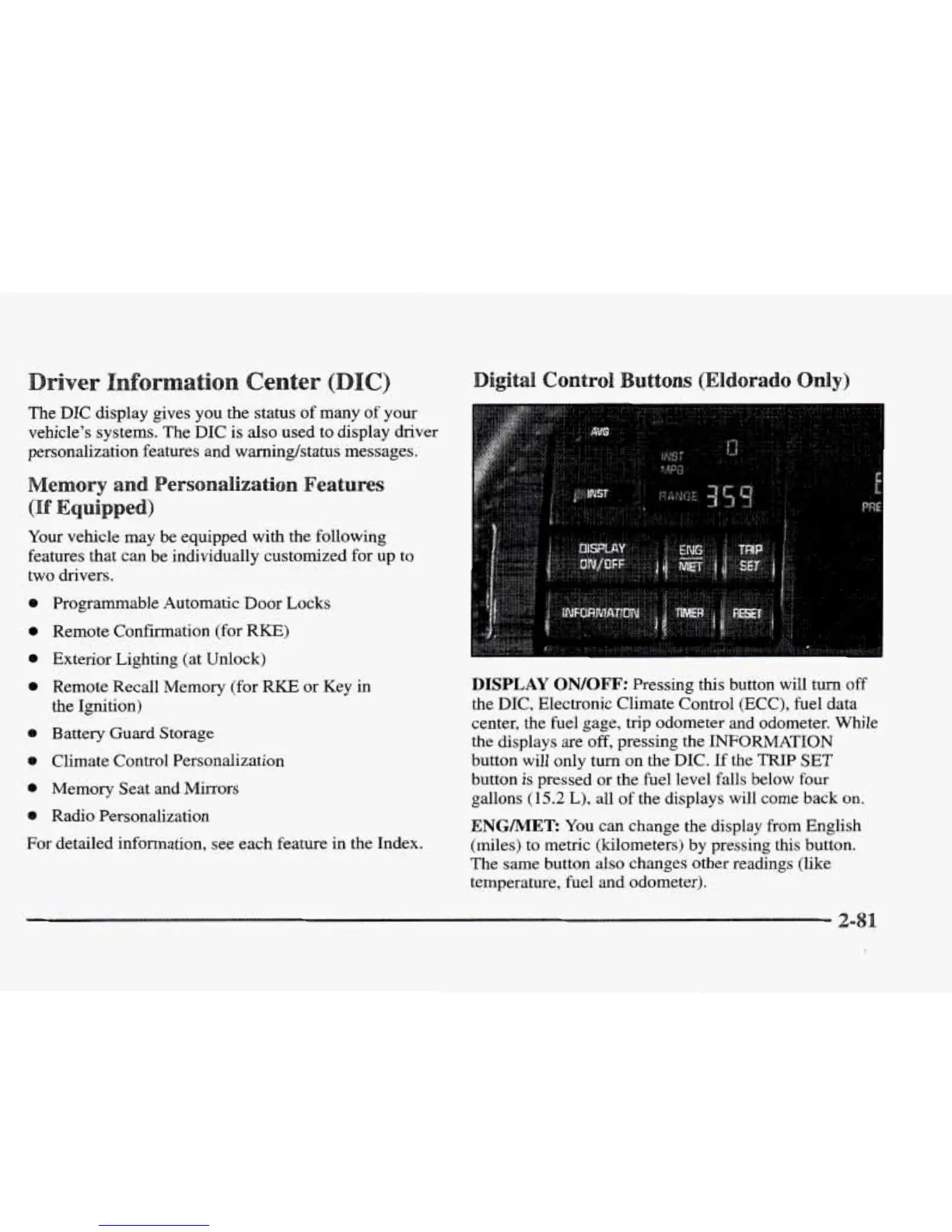
DISPLAY
QN/QFF:
Pressing this button will turn
off
the
DIC, Electronic Climate Control
(ECC),
fuel data
center, the fuel gage, trip odometer and odometer. While
the displays
are
off,
pressing the INFORMATION
button will only turn
on
the
DIC.
If the TRIP
SET
button is pressed or the fuel level falls below four
gallons
(15.2
L),
all of
the
displays will come back
on.
ENGMET:
You can change the display from English
(miles) to metric (kilometers) by pressing this button.
The
same button also changes other readings
(like
temperature, fuel and odometer).










 To Next Page