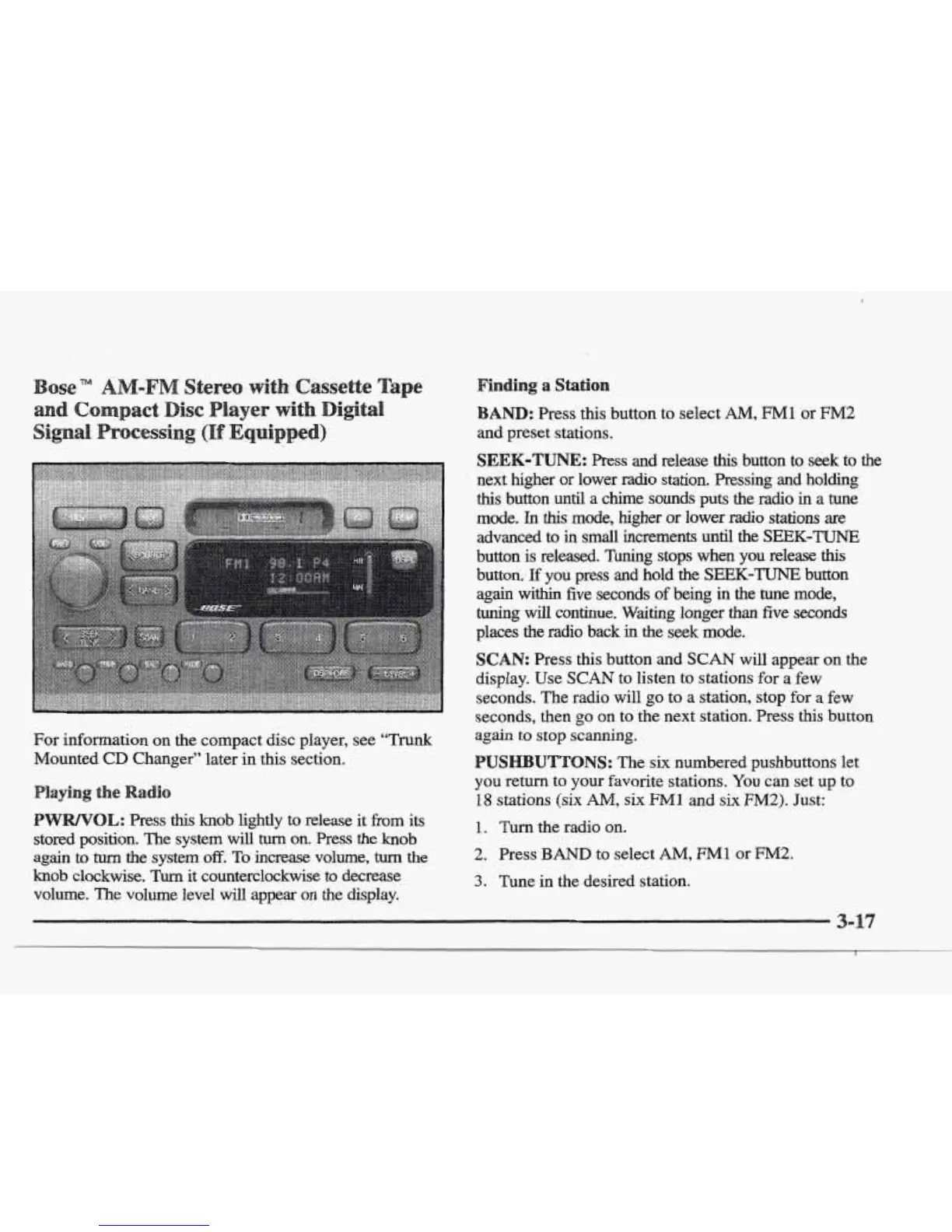
For information on the compact disc player, see
‘‘Trunk
Mounted
CD
Changer” later
in
this section.
this
knob lightly
to
release it
from
its
stored position.
The
system
will
turn
on. Press the knob
again
to
turn
the system
off.
To
increase volume,
turn
the
knob
clockwise.
Turn
it counterclockwise to decrease
volume. The volume level
will
appear on the display.
Finding
a
Station
:
Press this button to select
AM,
FM1
or
EM2
SEEK-TUNE:
Press
and
reiease
this
button to seek to
the
next higher or lower
radio
station. Pressing and
holding
this
button until a chime sounds puts the
radio
in
a
tune
mode. In
this
mode, higher
or
lower
radio
stations are
advanced to
in
small increments until
the
SEEK-TUNE
button
is
released. Tuning stops when you release
this
button.
E
you press
and
hold the
SEEK-TUNE
button
again
within
five seconds
of
being
in
the
tune
mode,
tuning
will
continue. Waiting longer
than
five
seconds
places
the
radio back
in
the seek mode.
SCAN:
Press
this
button and
SCAN
will appear on the
display. Use
SCAN
to
listen to stations
for
a
few
seconds. The radio will
go
to
a station, stop for a few
seconds, then
go
on to the next station. Press this button
again to
stop
scanning.
UTTONS:
The six numbered pushbuttons let
you
return to your favorite stations.
You
can set up to
18
stations
(six
AM,
six
Ml
and
six F”2).
Just:
1.
Turn the radio on.
2.
Press
BAND
to select
AM,
FM1
or
FM2.
3.
Tune in the desired station.











 To Next Page