2-45
Power Remote Control Mirror (Heated)
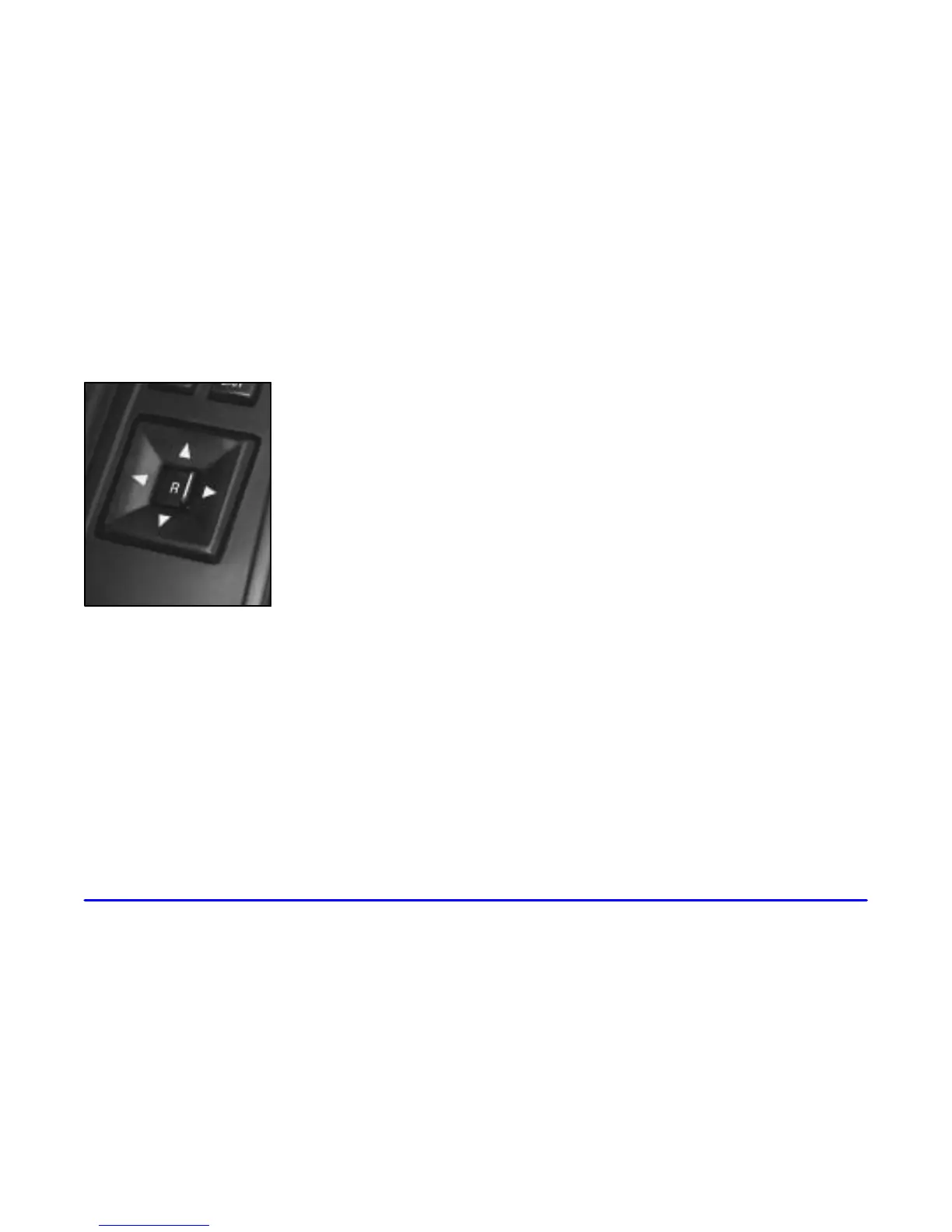
Your vehicle has an electric
mirror control located on
the driver’s door armrest.
Move the R/L switch in the middle of the control to
choose the right (passenger’s side) or left (driver’s side)
mirror. To adjust the mirror, push the arrow control in
the direction you want the mirror to go. Adjust each
mirror so you can see the side of your vehicle and the
area behind your vehicle.
The mirrors can also be programmed for personalization if
you have the optional memory package. For more
information, see “Memory Seat and Mirrors” in the Index.
To activate the heated mirrors, press the rear window
defogger button. See “Rear Window Defogger” in
the Index.
Driver’s Outside Auto-Dimming
Rearview Mirror
Only the driver’s side outside mirror will adjust for
the glare of headlamps behind you. This feature is
controlled by the on and off settings on the
electrochromic mirror. See “Electrochromic Day/Night
Rearview Mirror with Compass” in the Index.
Curb View Assist Mirror (If Equipped)
If your vehicle is equipped with memory mirrors, it will
also be equipped with the curb view assist mirror
feature. This feature will cause the passenger’s mirror to
tilt when the vehicle is moving in REVERSE (R). This
feature may be useful in allowing you to view the curb
when you are parallel parking (selected/programmed
through personalization on the DIC).
When the vehicle is shifted out of REVERSE (R) and a
five second delay has occurred, the passenger’s mirror
will return to its original position. If further adjustment
is needed after the mirror is tilted, the mirror switch may
be used. The mirror then returns to its original position.










 To Next Page