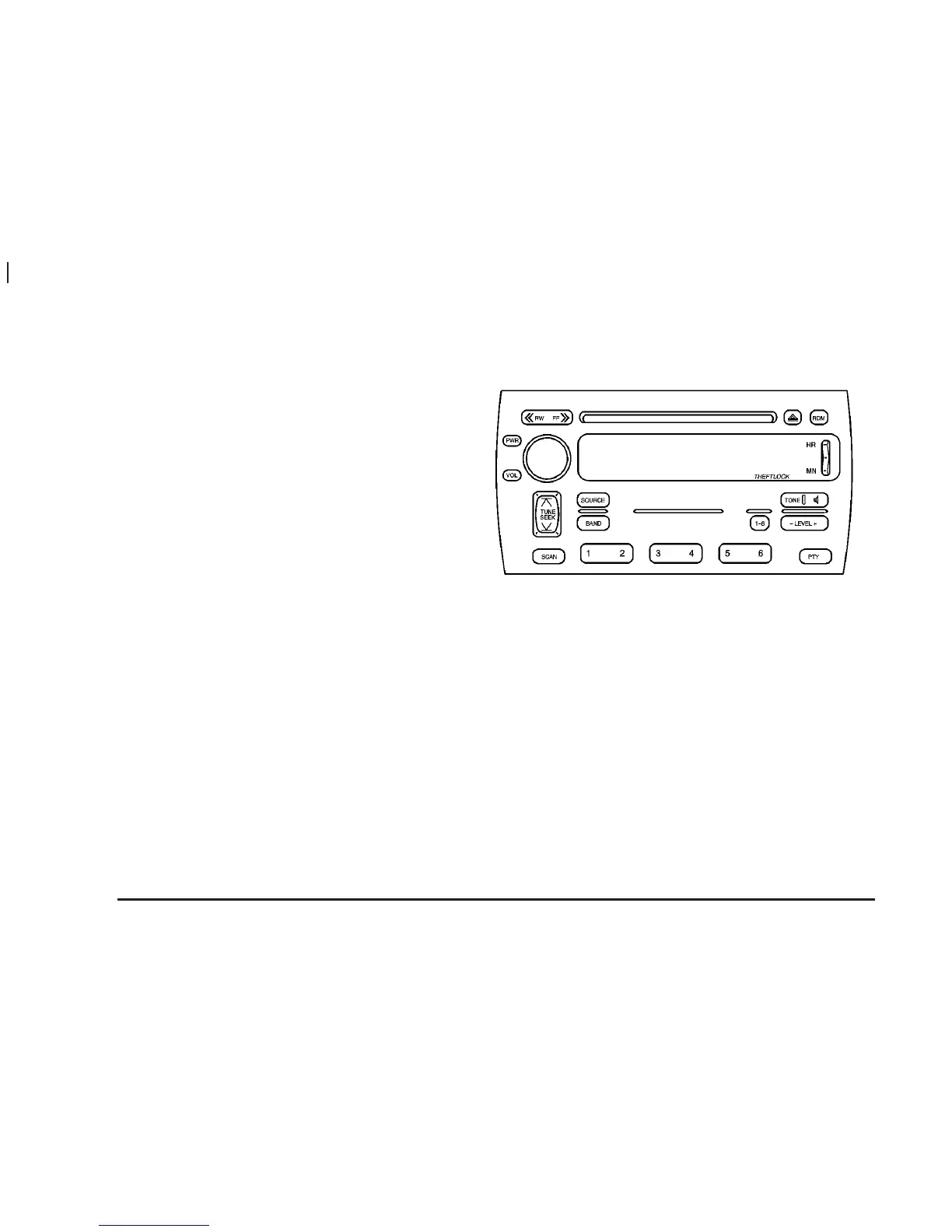
Setting the Time for Radios with
Radio Data Systems (RDS)
Press and hold HR until the correct hour appears on the
display. Press and hold MN until the correct minute
appears on the display. Display the time when the
ignition is off by pressing one of these buttons.
To synchronize the time with an FM station broadcasting
Radio Data System (RDS) information, press and hold
HR and MN at the same time until TIME UPDATED
appears on the display. If the time is not available from
the station, NO STATION TIME will appear on the
display.
RDS time is broadcast once a minute. Once you have
tuned to an RDS broadcast station, it may take a
few minutes for your time to update.
Radio with CD
XM™ Satellite Radio Service
(48 Contiguous US States)
XM™ is a continental U.S. based satellite radio service
that offers 100 coast to coast channels including
music, news, sports, talk, and children’s programming.
XM™ provides digital quality audio and text information,
including song title and artist name. A service fee is
required in order to receive the XM™ service. For more
information, contact XM™ at www.xmradio.com or
call 1-800-852-XMXM (9696).
3-82















 To Next Page