Infotainment System 7-73
Alert for Approaching Traffic
Events: When On, if an
approaching traffic event is within
the alert range, one of two traffic
alert pop-up screens display:
.
With no route planned, while
on expressways, Approaching
Traffic Event without Avoid
screen displays.
.
With route planned, Traffic Event
on Route screen displays.
If the Alert for Approaching Traffic
Events is Off, the alert pop-up
screen does not display.
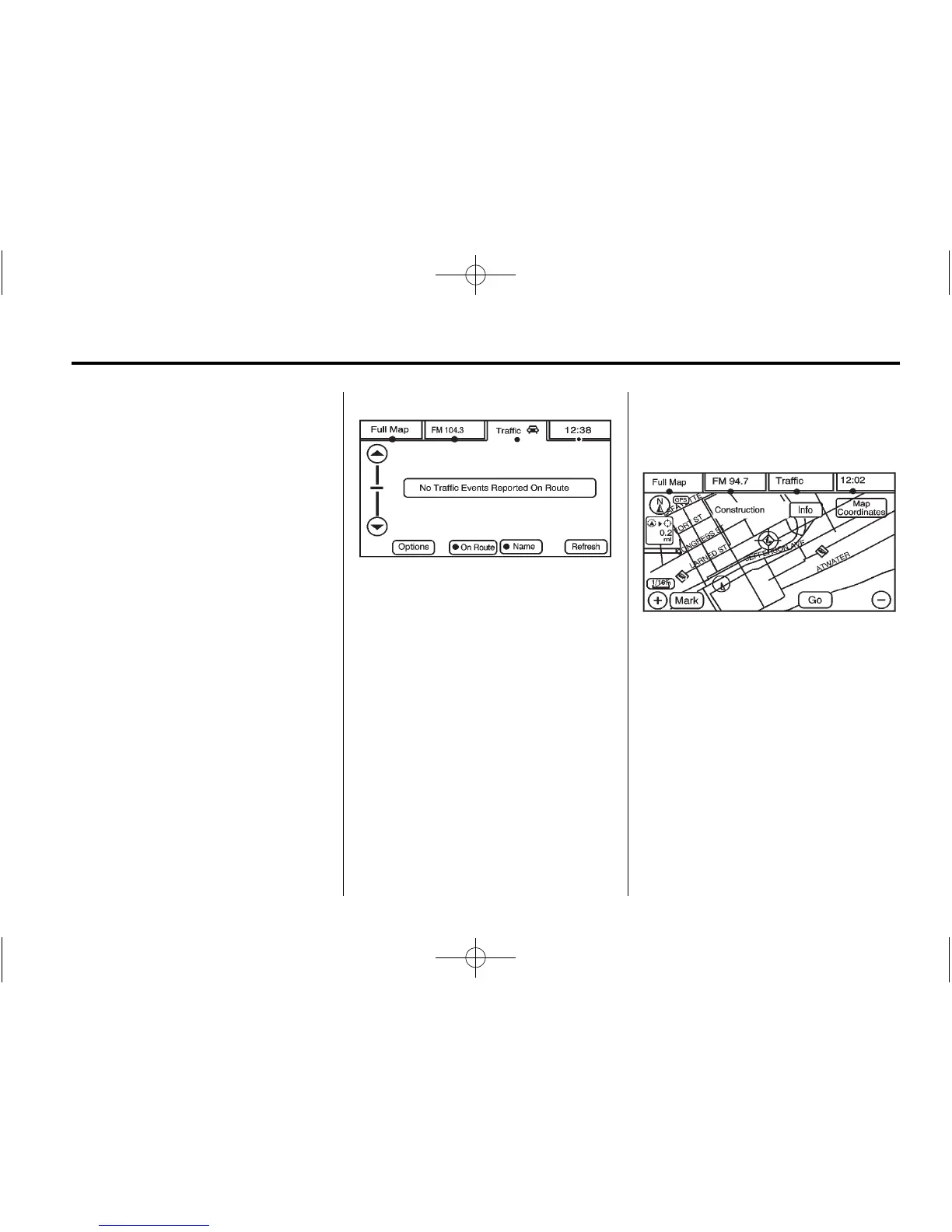
On-Route
Select the On Route screen button
to display all events ahead on the
current active route. If no traffic
events have been reported on route,
No Traffic Events Reported On
route displays.
Name
Select the Name screen button to
display traffic events in the order of
distance. The closest event is
shown first.
Refresh
Select the Refresh screen button to
update the screen with all of the
latest traffic events, miles, etc.
Traffic events update approximately
every two minutes. To update the
events immediately, press the
Refresh screen button.
Scrolling to Traffic Events on
the Map
While scrolling the map, traffic
condition icons may appear. Traffic
events may appear up to 75 mi
(125 km) from your current position.
To receive information about the
traffic condition, place the cross
hairs over the traffic condition icon.




 To Next Page