Cadillac CTS/CTS-V Owner Manual - 2011
Keys, Doors and Windows 2-33
Express-Close: To close the
sunroof, fully press and release the
front of the driver's side switch. The
sunroof will automatically close. To
stop the sunroof partway, press the
switch a second time.
Comfort Stop Feature: The
sunroof has a comfort stop feature
which stops the sunroof from
opening to the full-open position.
From the comfort stop position,
press the rear of the passenger side
switch a second time to open the
sunroof to the full-open position.
Vent Feature: Press and hold the
front of the passenger side switch to
vent the sunroof. The sunshade will
automatically open approximately
fifteen inches. Press and hold the
rear of the passenger side switch to
close the sunroof vent.
Anti-Pinch Feature
If an object is in the path of the
sunroof/sunshade when it is closing,
the anti-pinch feature will detect the
object and stop the sunroof/
sunshade from closing at the point
of the obstruction. The sunroof/
sunshade will then return to the
full-open position. To close the
sunroof/sunshade, see
“Express-Close” earlier in this
section.
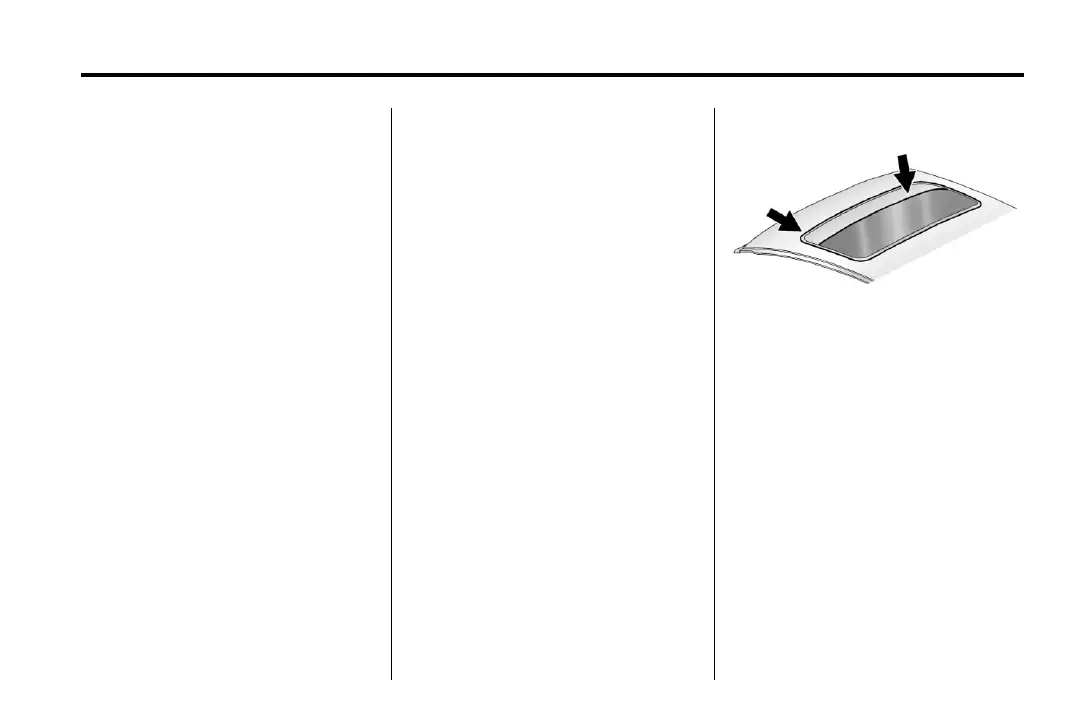
Dirt and debris may collect on the
sunroof seal or in the track. This
could cause an issue with sunroof
operation, noise or plugging the
water drainage system. Periodically
open the sunroof and remove any
obstacles or loose debris. Wipe the
sunroof seal and roof sealing area
using a clean cloth, mild soap, and
water. Do not remove grease from
sunroof.








 To Next Page