DRIVER MEMORY SETTINGS
(if equipped)
Four-Button Memory Systems
Set Seat and Mirror positions,
Climate Control and Audio Settings,
and (if equipped) Power
Tilt/Telescope Steering Wheel
With vehicle in PARK (P), adjust
driver’s seat (including lumbar
support and recliner) outside
rearview mirror positions, climate
control, audio settings and (if
equipped) power tilt/telescope
steering wheel position.
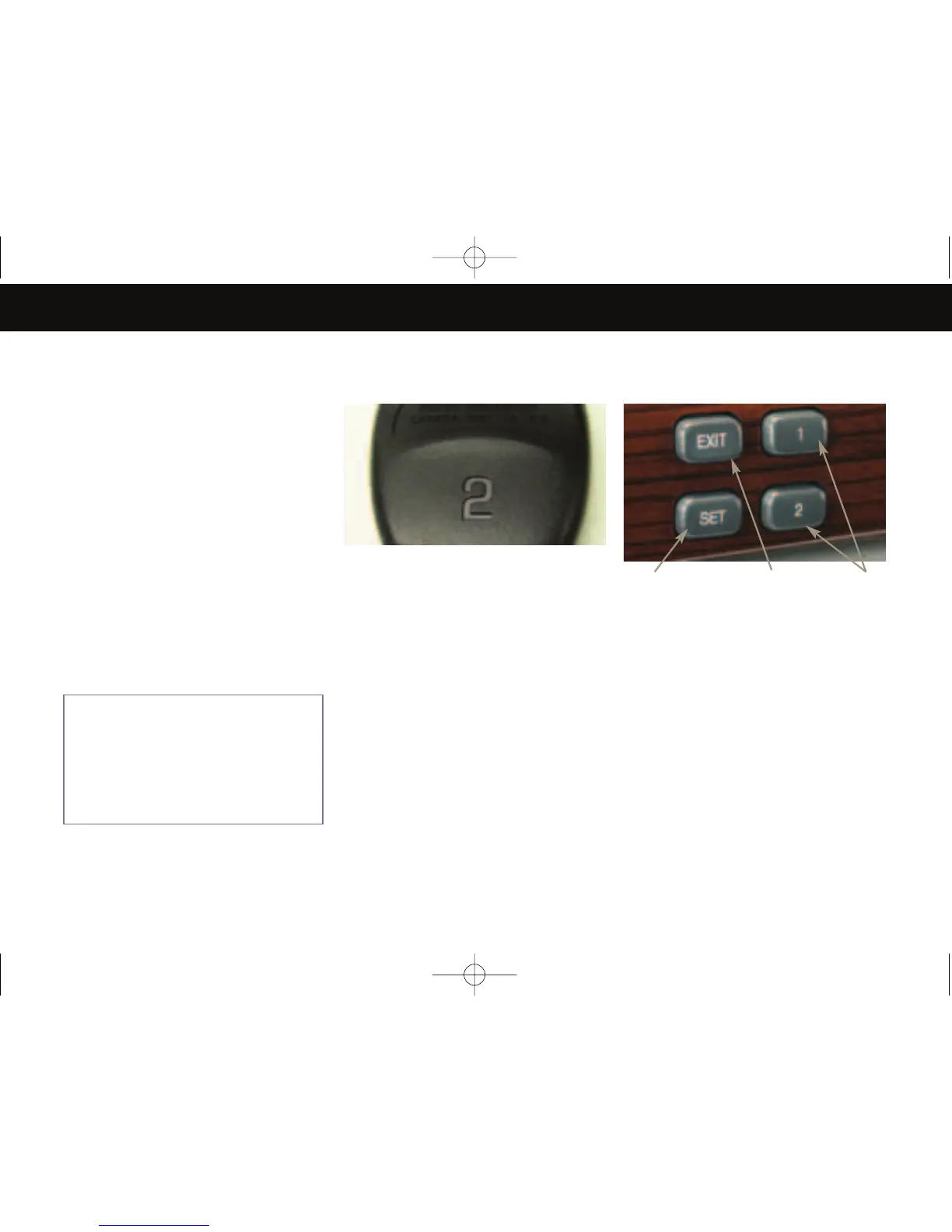
1. Press and hold the SET button until
you hear a beep.
2.
Press and hold one of the two
numbered buttons until you hear a
beep.
Unless REMOTE RECALL (see
Personalization Guide) has been
turned OFF, unlocking with the key
fob will recall the settings.
Set EXIT Position
With vehicle in PARK (P), adjust
driver seat (including recliner) and
the power tilt/telescoping steering
wheel (if so equipped) to desired exit
position.
1. Press the SET button. Release it
when you hear a beep.
3. Press the EXIT button. Release it
when you hear a beep.
1
2
3
Note: Memory 1 or 2 is
dependent on the RKE
transmitter being used and the
key being in the ignition during
programming. See the back of
your RKE transmitter for the
corresponding memory number.
D E V I L L E
Comfort/Convenience







 To Next Page