SEATS AND RESTRAINTS 81
If you need to secure more than one
child restraint in the rear seat, see
Where to Put the Restraint 0 74.
1. Put the child restraint on the seat.
2. Attach and tighten the lower
attachments to the lower anchors.
If the child restraint does not have
lower attachments or the desired
seating position does not have
lower anchors, secure the child
restraint with the top tether and
the seat belt. Refer to your child
restraint manufacturer instructions
and the instructions in this
manual.
2.1. Find the lower anchors for the
desired seating position.
2.2. To access the lower anchors in
the second row, it may help to
recline the seatback.
Third row seatbacks must be
upright before placing the
child restraint on the seat.
2.3. Put the child restraint on
the seat.
2.4. Attach and tighten the lower
attachments on the child
restraint to the lower anchors.
If necessary, adjust the angle
of the second row seatback to
achieve a tight installation.
Make sure the second row
bench seatbacks are aligned at
the same angle.
3. If the child restraint manufacturer
recommends that the top tether be
attached, attach and tighten the
top tether to the top tether anchor,
if the vehicle has one. Refer to the
child restraint instructions and the
following steps:
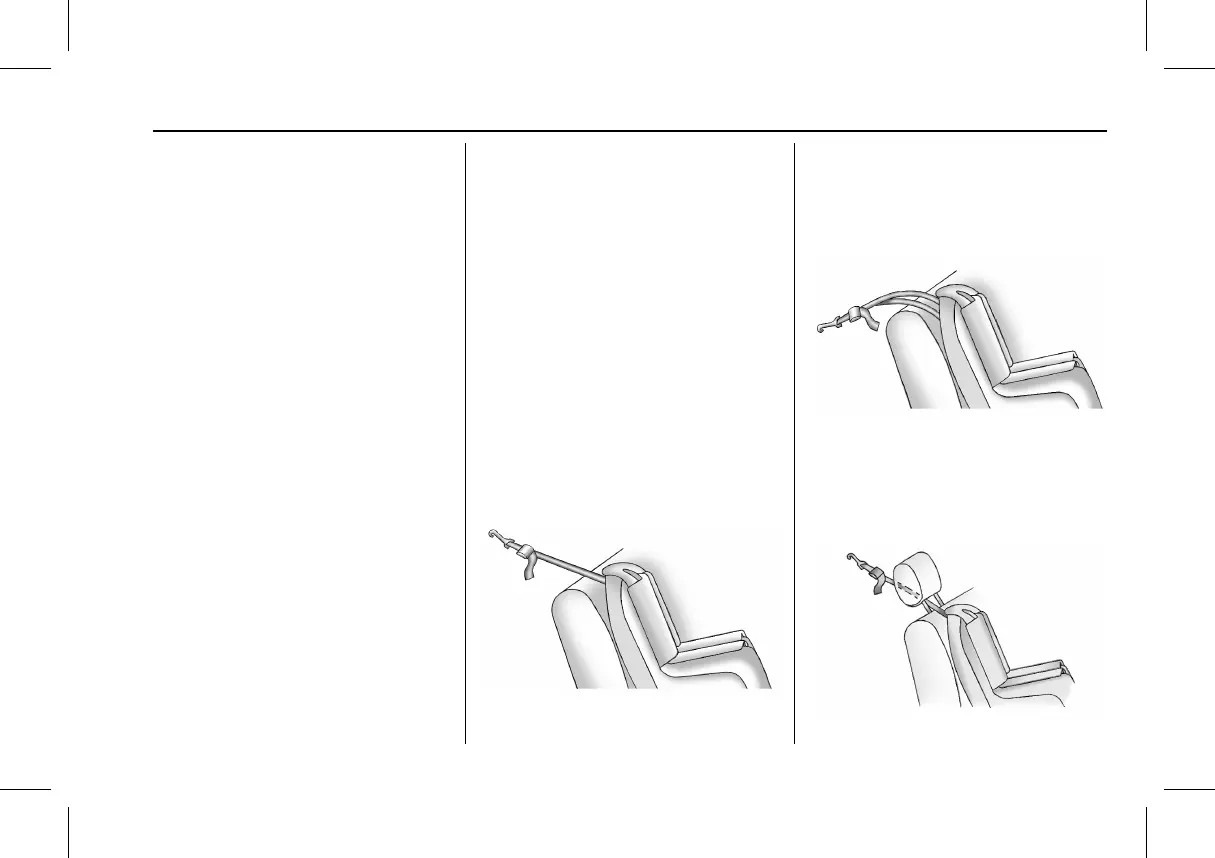
3.1. Find the top tether anchor.
3.2. Route, attach, and tighten the
top tether according to your
child restraint instructions and
the following instructions:
If the position you are using
does not have a head restraint
and you are using a single
tether, route the tether over
the seatback.
If the position you are using
does not have a head restraint
and you are using a dual
tether, route the tether over
the seatback.



 To Next Page