9
CADILLAC CUE MENUS
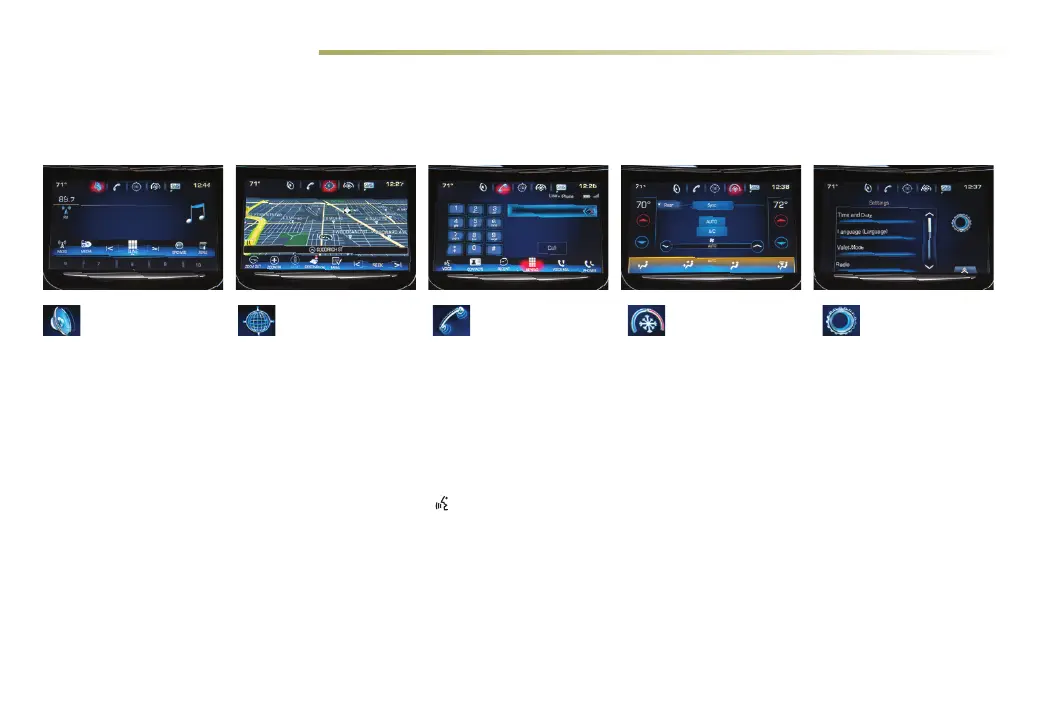
Cadillac CUE oers a variety of entertainment, communication and vehicle system options. Touch an application icon on the touch screen to
access the following items. You can use simple gestures on the touch screen just as you would on a smartphone, such as tap, drag, pinch and
spread, to interact with the Cadillac CUE system.
See your Cadillac CUE Infotainment System Manual.
Audio
• Radio Band
• Media
• Seek Up/Down
• Tune/Play
• Browse
• Menu
Navigation
♦
• Zoom Out
• Zoom In
• Reset
• Destination
• Map Menu
• Seek Up/Down
Phone
• Voice Recognition
• Contacts
• Recent
• Keypad
• Voice Mail
• Phones
Note: Press and hold the
Push to Talk steering
wheel button to activate
Handset Voice Recognition.
See page 12.
Climate
• Driver/Vehicle
Set Temperature
• Passenger
Set Temperature
• Sync Temperature
Seings
• A/C Mode
• Automatic Climate
On/O
• Air Distribution
Seings
• Front/Rear Seings
• Fan Speed
Settings
• Time and Date
• Language
• Valet Mode
• Radio
• Vehicle
• Bluetooth
• Phone Integration
• Voice
• Display
• Return to Factory
Seings
♦ Optional equipment















 To Next Page