EasyManua.ls Logo

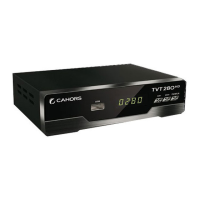
cahors TVT 280 HD - User Manual

cahors TVT 280 HD
66 pages
Go to English
Print Icon
To Next Page IconTo Next Page
Loading...

Table of Contents

Questions and Answers

Summary

Specifications

Tuner and Channel Decoder

Technical details for tuning and decoding broadcast signals.

MPEG Transport Stream

Specifications related to the MPEG transport stream data format.

Video and Audio Decoding

Details on supported video and audio decoding standards.

Physical Specifications

Dimensions, weight, and operating temperature of the device.

Important Safety Instructions

General Safety Precautions

Essential safety guidelines to prevent electric shock and damage.

Getting Started

Unpacking and Initial Setup

Instructions for unpacking the device and performing the first-time setup.

Controls and Remote

Front and Rear Panel Layout

Identification and description of device ports and indicators.

Remote Control Operation

Guide to remote control buttons and battery installation.

How to Connect

Antenna and Installation Methods

Steps for connecting the antenna and choosing TV connection types.

Coaxial Connections

Details on using coaxial cables for audio and VCR connections.

Operation

Basic Channel Selection

How to select channels using the number pad or channel list.

Volume, Muting, and Information

Adjusting audio levels, muting sound, and viewing program information.

Favourites and Channel Management

Creating, viewing, and organising favourite channels and stations.

Multimedia and EPG

Media Playback and Recording

Using the USB port for playing media files and recording TV programs.

Electronic Program Guide (EPG)

How to access and use the EPG for program scheduling.

Channel Scanning and Timers

Auto and Manual Channel Search

Procedures for scanning for available TV and radio channels.

Timer Settings

Setting timers for recording or power management.

System Settings

Audio and AV Configuration

Adjusting audio output, aspect ratio, and video settings.

Parent Control

Setting up parental guidance and changing the PIN.

Time Settings

Configuring the device's time and standby preferences.

System Maintenance and Updates

System Information

Accessing details about the device's hardware and software version.

Software Update

Instructions for downloading and installing software updates.

Clearing and Troubleshooting

Resetting to Factory Defaults

Restoring the device to its original factory settings.

Troubleshooting Common Issues

Solutions for common operational problems and errors.

cahors TVT 280 HD Specifications

General IconGeneral
HDTV CompatibleYes
Input Frequency Range174-230MHz, 470-862MHz
Input Impedance75 Ohm
TypeDigital TV Tuner
Tuner TypeDVB-T2
DemodulationQPSK, 16QAM, 64QAM, 256QAM
Video DecodingMPEG-2, MPEG-4, H.264
Audio DecodingMPEG-1 Layer II, MPEG-2 Layer II, AAC
ConnectorsHDMI, USB
Power Supply5V DC