10
CalDigit
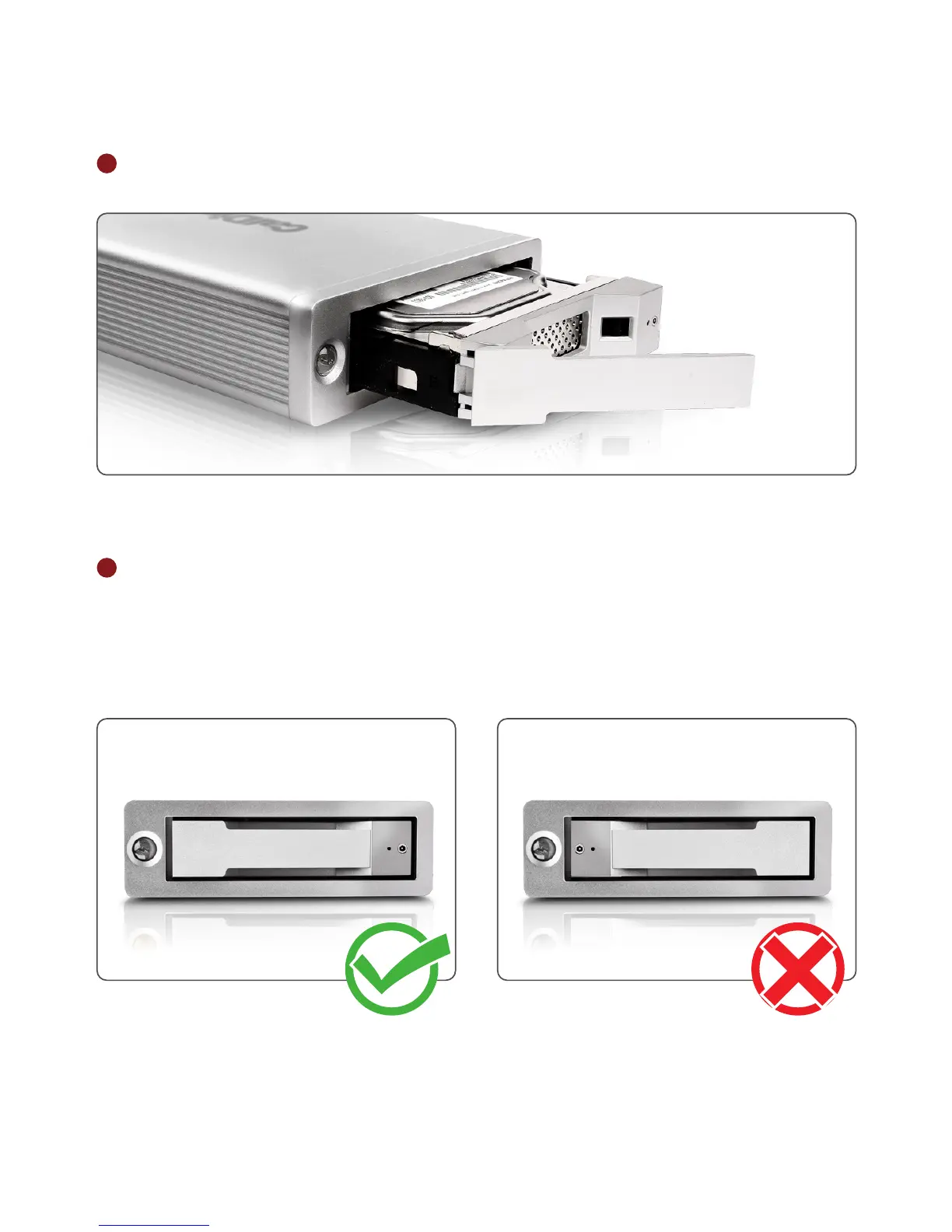
3 Pull out the drive module from the AV Pro enclosure.
4 Lay the AV Pro horizontally and make sure the lock on the drive module is on the opposite
side of the power button before inserting the drive. Insert the drive module into the
AV Pro enclosure and press down on the drive module handle until it locks securely into
place. Please do not use excessive force to insert the drive. The new drive will then
mount onto your OS.



 To Next Page