4
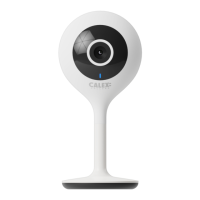
Status light
Speaker
Reset
Microphone
SD Card slot
Power
Power DC 5V +/- 10%
Status light Red light solid on: the camera network is
abnormal
Blinking red light: awaiting WiFi connecting
Blue light solid on: camera running correctly
Blinking blue light: currently connecting
Microphone Captures sounds for your video
SD Card slot Supports local SD Card storage (Max.128G)
Reset Press and hold the ‘reset’ for 5 seconds
to reset the device (ifyou have modified
settings, they will return to factory defaults).
Before you start write down your network name & password.
Note: this item only works on a 2,4GHz Wifi network, not on a
5GHz WiFi network. Please consult the manual of your router
for settings.
EN GETTING STARTED
DESCRIPTION


 To Next Page
