Need help?
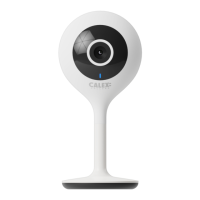
Do you have a question about the Calex SMART 429261 and is the answer not in the manual?
Explains solid and blinking red/blue lights for network status.
Captures audio for your video recordings.
Supports local SD card storage up to 128GB.
Press and hold for 5 seconds with a pin to reset to factory defaults.
Requires 2.4GHz Wi-Fi; ensure correct network name and password entry.
Download the Calex Smart app from Google Play Store or Apple Store.
Open app, click '+', select 'Others' > 'Smart Security Camera'.
Input Wi-Fi password and scan the QR code with the camera.
Confirm beep and complete configuration, usually within 30 seconds.
 General
| Night Vision | Yes |
|---|---|
| Two-way Audio | Yes |
| Motion Detection | Yes |
| Resolution | 1920 x 1080 (1080P) |
| Connectivity | Wi-Fi |
| Storage | MicroSD card (up to 128 GB) |


 To Next Page