5
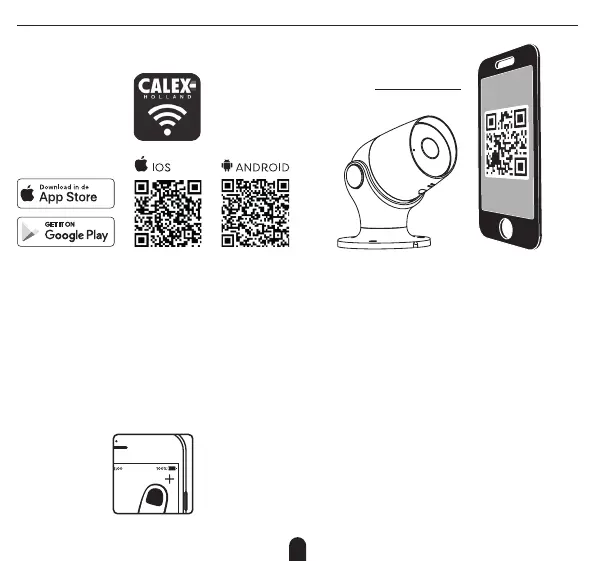
1. Download the Calex Smart app from the Google Play store,
the Apple Store or scan the QR code.
2. Open the Calex Smart App, click “+” or “Add Device”.
Then select “Others” on the “Select Device Type” page.
Select “Smart Security Camera”. Power the device on and
make sure the indicator is flashing quickly or a prompt
tone is heard.
3. Input WiFi password and click “Confirm”, scan the QR
Code with the device. (You can change the network
connection)
4. Click “I heard the beep” when the device comes out “dong
dong dong”. And you can complete the configuration
about (+/- 30 s).
+/- 20 cm



 To Next Page