ENGLISH 7
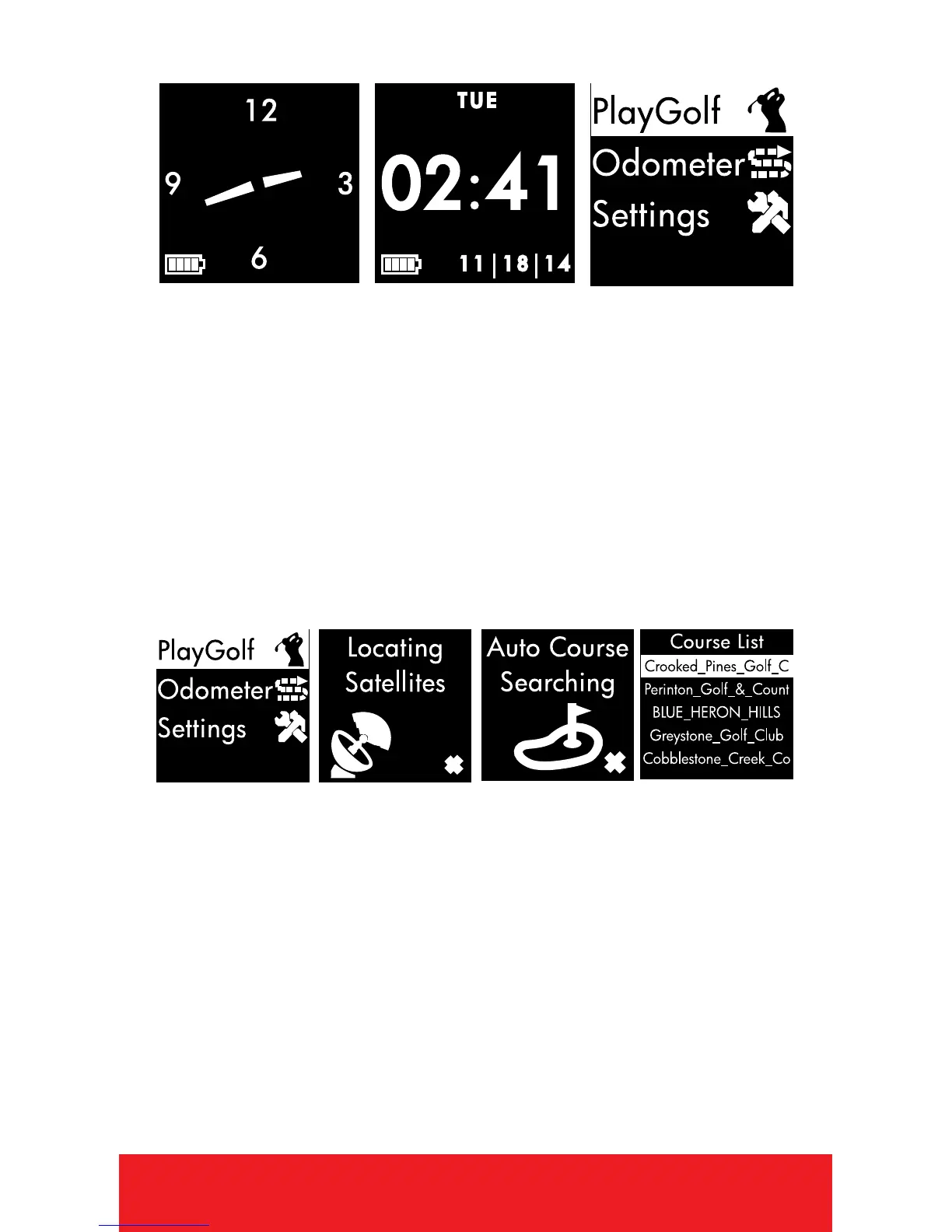
TIME MODE
1. PRESS
[
OK
]
button to toggle between
Analog or Digital Time Display.
2. PRESS
[
POWER
]
button to turn Backlight
On/Off.
3. To set time and date, see Settings. (Pg. 14)
4. HOLD
[
OK
]
button to access Main Menu.
AT GOLF COURSE
1. From Time Screen, HOLD
[
OK
]
button to
access Main Menu.
2. PRESS
[
OK
]
button to select Play Golf.
3. Device will begin searching for satellite
signal (HOLD
[
OK
]
button to cancel).
4. Once satellite connection is established,
the nearest golf courses will be listed. Use
[
UP/DOWN
]
buttons to scroll to desired
course, PRESS
[
OK
]
button to select course.


 To Next Page