ENGLISH 9
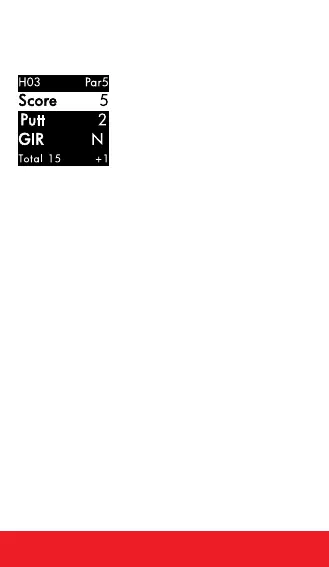
SCORECARD
Note: Scorecard must be turned On in
Settings.
1. PRESS
[
OK
]
button to access Scorecard.
2. Use
[
UP/DOWN
]
buttons until number of
total strokes for that hole is displayed.
3. HOLD the
[
DOWN
]
button to scroll to Putts,
use
[
UP/DOWN
]
buttons until correct
number of putts is displayed.
4. HOLD the
[
DOWN
]
button to scroll to GIR
(Greens in Regulation). Use
[
UP/DOWN
]
buttons to select Y/N (Yes or No).
5. To exit, PRESS
[
OK
]
button to return to
Play Mode.
AUTO-HOLE ADVANCE
1. While traveling from the green to the next
tee box, the device will automatically
advance to the next hole.
2. To manually advance to the next hole,
PRESS
[
UP
]
button. To return to the
previous hole, PRESS the
[
DOWN
]
button.


 To Next Page