EasyManua.ls Logo

CALOR Express Essential - User Manual

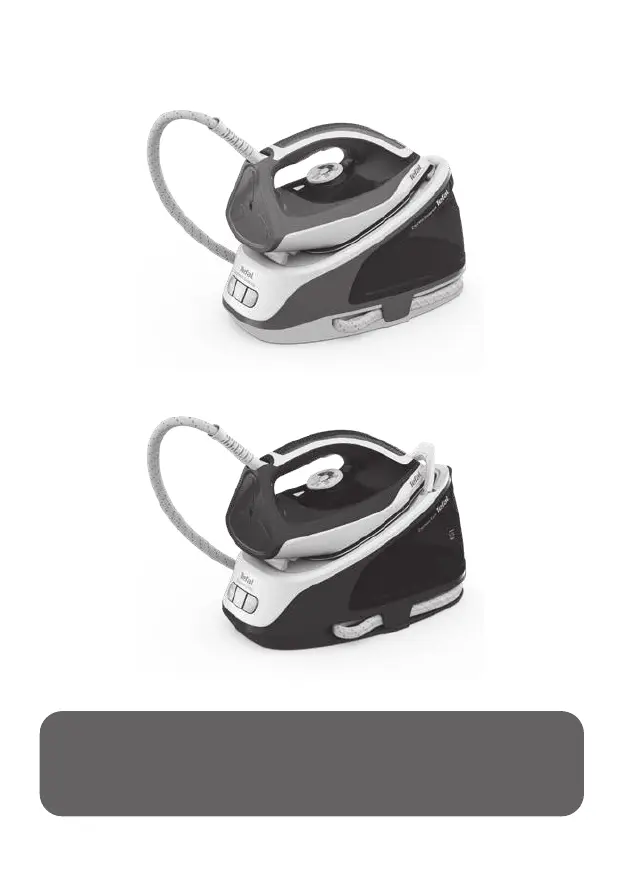
CALOR Express Essential
31 pages
Print Icon
To Next Page IconTo Next Page
Loading...
EN
AR
Express Essential
Express Easy

Questions and Answers

  • C
    Christian SullivanJul 30, 2025
    Why is the anti calc indicator flashing on my CALOR Express Essential Iron?
    • J
      Jamie HardyJul 30, 2025
      If the anti-calc indicator is flashing on your CALOR Iron, it could mean that the anti-calc cartridge is no longer effective and needs replacing. Replace the anti-scale cartridge with a new one, then press the reset button for at least 3 seconds. Alternatively, the descaling procedure may be required; see section "Descaling your generator."
  • A
    Ashley CollinsAug 6, 2025
    What to do if the anti calc indicator is still flashing on CALOR Iron after replacing the cartridge?
    • M
      Mary AdamsAug 6, 2025
      If the anti-calc indicator is still flashing on your CALOR Iron after replacing the cartridge, it means you haven't pressed the reset button. Press the reset button until the light stops flashing.
  • L
    Lisa SantanaAug 14, 2025
    What to do if water streaks appear on linen when using CALOR Express Essential Iron?
    • P
      perezkathleenAug 14, 2025
      If water streaks appear on your linen when using your CALOR Iron, it's likely that your ironing board is saturated with water because it's not suitable for use with an appliance. Ensure your ironing board is appropriate; a vented/mesh type ironing board is recommended.
  • M
    Michael MooreAug 21, 2025
    Why does my CALOR Iron leave brown streaks on my linen?
    • P
      Paul SmithAug 22, 2025
      If brown streaks are coming through the holes in the soleplate of your CALOR Iron and staining the linen, it's because you're using chemical descaling agents or additives in the water. Never add these products to the water tank. Contact an Approved Service Centre.

Summary

Using Your Appliance

Getting Started

Initial setup and first use of the steam generator, including locking the iron, unwinding the cord, and plugging in.

Filling the Water Tank

Instructions for filling the removable or fixed water tank with tap water up to the maximum level.

Transportation

How to safely lock and move the steam generator for transport and storage using the iron's handle.

Settings

Guide to changing temperature and steam settings using the iron's thermostat and the ECO mode.

Vertical Steaming

Instructions for removing creases from hanging garments using vertical steam with the iron held vertically.

Auto-off Function

Explanation of the automatic shut-off system after 38 minutes of non-use and how to reactivate.

Maintenance and Storage

Emptying the Scale Collector

Procedure for periodically emptying the scale collector to ensure long-lasting steam performance.

Descaling Your Generator

Step-by-step guide on how to perform the descaling process when the anti-calc indicator alerts you.

Cleaning

How to clean the iron's soleplate with a damp cloth and plastic parts with a soft cloth.

Storage

Instructions for properly storing the steam generator, including cord management and cooling before storage.

Safety Instructions

Important Recommendations

Key safety advice, product usage guidelines, and precautions for safe operation before first use.

Troubleshooting

Tefal International Guarantee

CALOR Express Essential Specifications

General IconGeneral
TypeSteam Iron
Soleplate MaterialCeramic
Power2400 W
Vertical SteamYes
Water Tank Capacity270 ml
Spray FunctionYes
Anti-Scale SystemYes
Auto Shut-OffNo
Self-CleaningNo
Anti-Drip SystemYes
Anti-Calc SystemYes

Related product manuals