EasyManua.ls Logo

Calphalon TSCLTRDG1 - User Manual

Calphalon TSCLTRDG1
16 pages
Print Icon
To Next Page IconTo Next Page
Loading...
1
INSTRUCTION MANUAL
QUARTZ HEAT
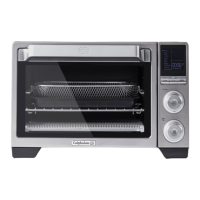
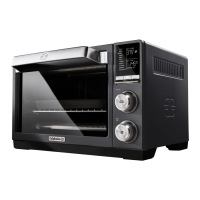
COUNTERTOP OVEN
MODEL: TSCLTRDG1

Other manuals for Calphalon TSCLTRDG1

Questions and Answers

  • J
    Jessica FrostJul 31, 2025
    Why does my Calphalon Oven have a burnt smell?
    • W
      William WilkersonJul 31, 2025
      A burnt smell can occur due to food buildup inside the Calphalon Oven, on the heating elements, or in the crumb tray. To resolve this, refer to the “Cleaning & Maintenance” section for instructions on how to clean your appliance.
  • E
    Elizabeth SmithAug 4, 2025
    What to do if the LCD display turns off on my Calphalon Oven?
    • J
      Jeffery ParkerAug 5, 2025
      If the Calphalon Oven's LCD display turns off, press any button to wake up the appliance. The LCD screen light turns off after 90 seconds of inactivity.
  • T
    Tiffany GeorgeAug 9, 2025
    Why does my new Calphalon TSCLTRDG1 Oven have a smoke odor?
    • F
      Frank RubioAug 9, 2025
      During the initial use of your Calphalon Oven, you might notice a slight smoke and/or odor. This is normal for many heating appliances and should disappear after a few uses.
  • M
    Mike MillerAug 13, 2025
    How to fix a Calphalon TSCLTRDG1 that does not turn on?
    • F
      fnguyenAug 13, 2025
      If your Calphalon Oven does not turn on, ensure it is plugged into the electrical outlet and that the power plug is securely inserted. Try a different outlet and press the START button.
  • R
    richardgravesAug 18, 2025
    What to do if foods are overcooked or undercooked in my Calphalon TSCLTRDG1?
    • B
      Brittany WalkerAug 18, 2025
      You may need to adjust the cooking time and temperature to achieve your desired results when using the Calphalon Oven. Because this countertop oven is smaller than a regular oven, it heats up faster and generally cooks food in less time. Also, consider adjusting the rack position to better suit the food type.
  • M
    martinezlatoyaAug 22, 2025
    Why do the heating elements not stay on in my Calphalon TSCLTRDG1?
    • C
      Corey ShieldsAug 22, 2025
      If the heating elements in your Calphalon Oven do not stay on, be certain that the function is set as desired. The heating elements will cycle on and off to maintain the correct temperature.
  • P
    psandersAug 27, 2025
    How to turn on the light in my Calphalon TSCLTRDG1 Oven?
    • T
      Tiffany BlakeAug 27, 2025
      To turn on the oven light in your Calphalon Oven, first press the LIGHT button. If that doesn’t work, you may need to change the light bulb.

Summary

Important Safeguards

Product Diagram and Display

LCD Display Overview

Details the components and indicators shown on the oven's LCD screen for user interaction.

Preparing Your Countertop Oven

Oven Functions Overview

Lists oven functions, rack positions, preheat requirements, and time/temperature ranges.

How to Use Your Countertop Oven

Cooking Functions Details

Toast Function

Instructions for using the Toast function, including rack position and shade settings.

Bagel Function

Instructions for using the Bagel function, including rack position and darkness settings.

Bake Function

Instructions for using the Bake function, including rack position and preheating.

Cleaning and Maintenance

Troubleshooting

Calphalon TSCLTRDG1 Specifications

General IconGeneral
Product TypeCountertop Oven
Model NumberTSCLTRDG1
Temperature Range150°F - 450°F
Cooking FunctionsBake, Broil, Toast, Warm
Auto Shut-offYes
Removable Crumb TrayYes
Included AccessoriesBaking Pan

Related product manuals