
 Need help?
Do you have a question about the Caltta PH600 and is the answer not in the manual?
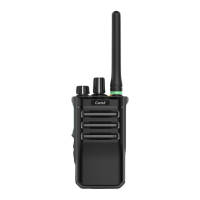
Identifies and describes all physical parts and ports of the radio unit.
Explains the functions that can be assigned to the radio's programmable keys.
Step-by-step instructions on how to turn the radio on and off using the power/volume knob.
Details on adjusting the radio's audio volume using the rotary knob.
Guide on managing channels efficiently by organizing them into zones.
Instructions on how to switch between different radio channels using the rotary knob.
Procedures for initiating and answering private calls on the radio.
Methods for initiating and answering group calls.
How a member can rejoin an active group call during communication.
Procedures to ensure compliance with RF exposure limits for occupational use.
Safe operating procedures for minimizing RF exposure during radio use.
 General
| Channel Capacity | 1024 |
|---|---|
| Battery Capacity | 2000 mAh |
| Waterproof Rating | IP67 |
| Battery | Li-ion |
| Digital Protocol | DMR |
| Frequency Range | 400-470MHz |
| Operating Voltage | 7.4V |
| RF Power Output | 1W/4W |

 To Next Page