6
Display
Last updated: August 9, 2024 09:05. Revision #13491
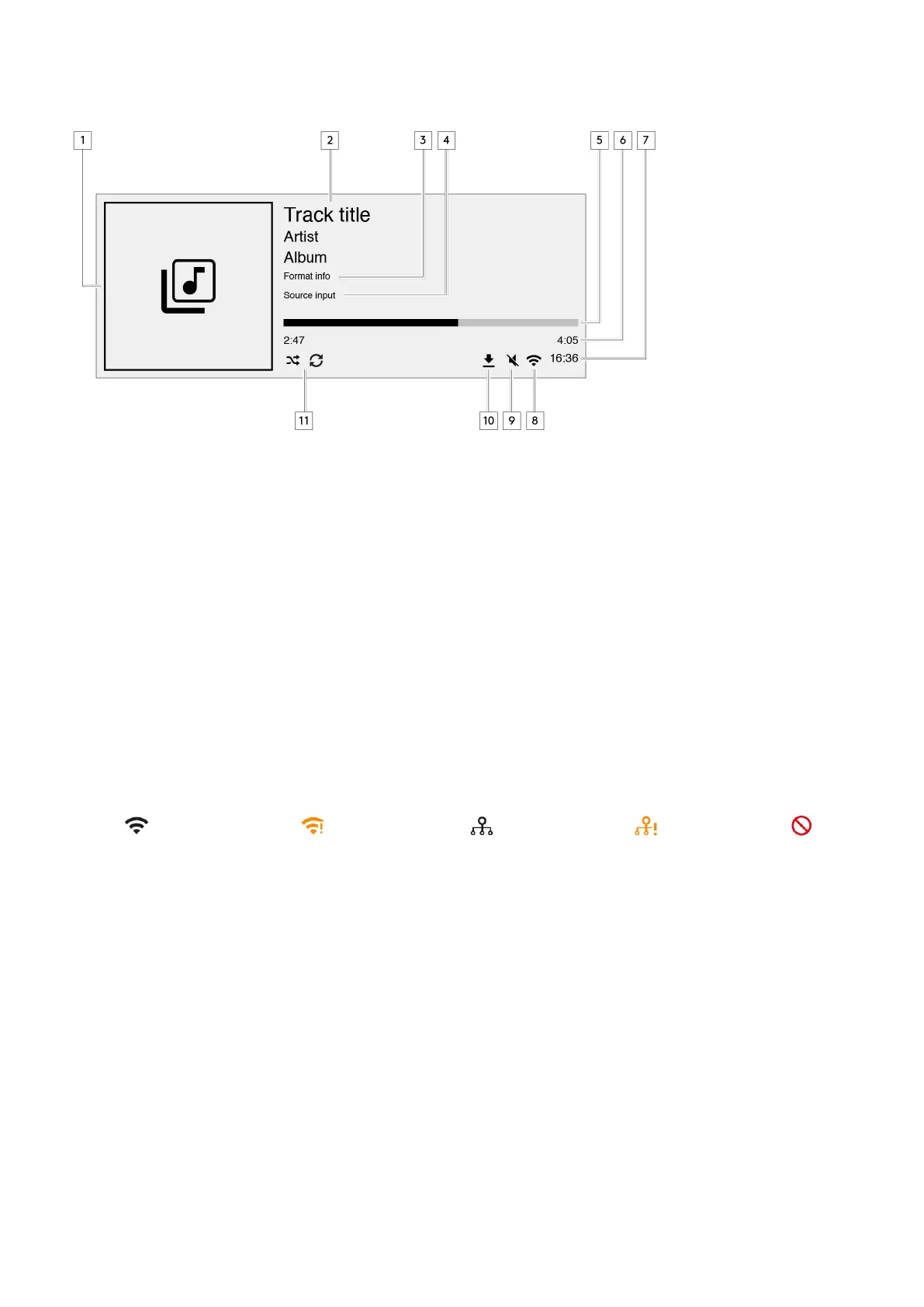
1. Album/Source artwork
Displays the album artwork. Alternatively, if no artwork is available this will display the source input icon.
2. Track title, artist and album
For Internet Radio, this will display the radio station name and the current playback.
3. Format info
Displays the streaming sample rate. For Internet Radio, this will display the bitrate the station is streaming.
4. Source input
Displays the currently selected source input.
5. Progress bar
When available, this will display the current track progression during playback.
6. Track time
When available, this will display the elapsed track time during playback.
7. Clock
8. Network connection
Displays the current network connection.
Wireless network connection
Wireless connection with no internet access
Wired network connection
Wired connection with no internet access No network connection


 To Next Page