EasyManua.ls Logo

Cambridge SoundWorks OontZ Angle 3 - User Manual

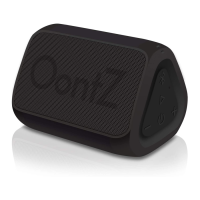
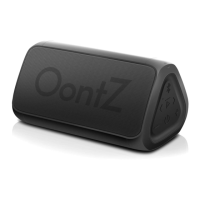
Cambridge SoundWorks OontZ Angle 3
24 pages
Print Icon
To Next Page IconTo Next Page
Loading...
Portable Bluetooth Speaker
Quick Start Guide
Designed and Engineered By
TheOontZ.com

Other manuals for Cambridge SoundWorks OontZ Angle 3

Question and Answer IconNeed help?

Do you have a question about the Cambridge SoundWorks OontZ Angle 3 and is the answer not in the manual?

Summary

In the Package

Package Contents Overview

Lists included items: speaker, charging cable, and manual.

Device Buttons

Button Functions and Controls

Details all buttons (Power, Volume, Play/Pause, Bluetooth) and their functions, including dual uses.

Indicator Lights

Light Status Meanings

Explains blue and red LED indicators for power, pairing, connection, and charging states.

Connectors and Ports

Rubber Flap for Water Resistance

Describes the rubber flap covering ports and its role in maintaining water resistance.

Available Ports and Microphone

Identifies the AUX IN jack, Micro USB connector, and built-in speakerphone microphone.

Speaker Orientation

Horizontal vs. Vertical Playback

Guides on positioning the speaker horizontally or vertically for optimal sound output.

Battery Management

Playtime and Charging Basics

Covers maximum playtime on a full charge and initial charging recommendations.

Low Charge & Power Saving Features

Explains low battery warnings and the automatic shut-off feature to conserve power.

Charging the Battery

Connection and Charging Process

Steps to connect the Micro USB cable for charging and estimated charging time.

Charging Methods Illustrated

Visual guide for connecting the charging cable to wall chargers or computer USB ports.

Turning On and Off

Powering the Speaker On and Off

Instructions for turning the OontZ Angle 3 speaker on and off using the power button.

Pair & Connect - Step 1

Initial Pairing Requirements

Ensures sufficient charge and proper device proximity for successful initial Bluetooth pairing.

Pair & Connect - Step 2

Pairing with Mobile Devices (iOS;Android)

Connects to iPhones, iPads, iPods, Smartphones, and Tablets via Bluetooth settings.

Pairing with Computers (Mac;Windows)

Guide to connecting the OontZ Angle 3 to Apple Mac or Windows computers via Bluetooth.

Pair & Connect - Step 2: Amazon Echo

Initial Pairing via Alexa App

Connects the OontZ Angle 3 to Amazon Echo devices using the Alexa app for the first time.

Pair & Connect - Step 2: Amazon Echo (Continued)

Reconnecting and Power Management

Notes on reconnecting to Echo devices and managing speaker power to avoid battery drain.

3.5 mm Audio Cable Playback

Connecting Non-Bluetooth Devices

Instructions for playing audio from devices without Bluetooth using a 3.5mm audio cable.

IPX5 Water Resistance

Water Resistance Guidelines and Precautions

Details the IPX5 rating, what it means for water spray/splash, and important safety notes.

Wireless Speakerphone

Hands-Free Calling Features

Explains how to answer, end, and reject calls using the speakerphone function with smartphones.

Troubleshooting and Support

Resolving Common Issues

Provides a link to troubleshooting tips for common problems with the OontZ Angle 3.

Contacting Customer Support

Information on how to contact the customer support team for assistance with the speaker.

Resetting the Speaker

Factory Reset Procedure

Step-by-step instructions to perform a factory reset on the OontZ Angle 3 speaker.

Safety and Precautions

General Safety Guidelines

Covers essential safety warnings related to charging, heat, alterations, and battery handling.

FCC Compliance and Device Notes

Details FCC compliance rules and important notes regarding device operation and trademarks.

OontZ Angle 3 Carry Case

Accessory Information

Details about the optional carry case, its features, and where to purchase it.

Overview

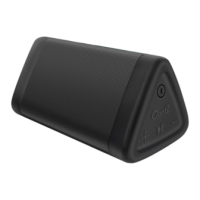
The OontZ Angle 3 is a portable Bluetooth speaker designed and engineered by Cambridge SoundWorks. It offers a range of features for versatile audio playback, hands-free calling, and robust design for various environments.

Function Description

The OontZ Angle 3 serves as a portable audio device that connects wirelessly via Bluetooth to smartphones, tablets, laptops, and other mobile devices. It can also connect to non-Bluetooth audio sources using a 3.5mm audio cable. The speaker is equipped with dual precision stereo drivers and a passive bass radiator, designed to deliver rich bass without interfering with mids and highs. It functions as a personal speakerphone, allowing users to answer, reject, and end incoming calls when connected to a smartphone or iPhone.

Usage Features

The speaker offers flexible placement options, allowing it to be played either horizontally or vertically, with controls accessible on the side in horizontal mode and on top in vertical mode.

Controls:

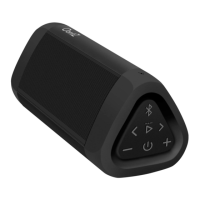
  • Power Button: Press and release to turn the speaker ON. Press and hold for 2 seconds to turn the speaker OFF.
  • Bluetooth/Speakerphone Button: Press and release to answer or end an incoming call. Press and hold for 3 seconds to disconnect the current Bluetooth device and enter pairing mode, or to reject an incoming call.
  • Volume Down Button (-): Press and release to decrease volume one level. Holding the button down will result in track back.
  • Volume Up Button (+): Press and release to increase volume one level. Holding the button down will result in track advance.
  • Play/Pause Button: Press and release to pause or play audio.

Lights:

  • Blue Light (when speaker is on):
    • Flashing Blue: Speaker is in pairing mode.
    • Solid Blue: Speaker is connected.
    • Solid Blue: When the 3.5mm audio cable is plugged into the AUX IN Jack.
  • Red Light (when charging):
    • Slowly flashing Red: Battery is charging.
    • Solid Red: Battery is fully charged.

Pairing and Connecting:

  • Step 1 (Turning On and Initial Connection): Turn on the OontZ Angle 3. A flashing blue light indicates it's ready to pair. If it automatically reconnects to the last device, the blue light will turn solid. To connect to a different device, press and hold the Bluetooth button for 3 seconds until the blue light flashes.
  • Step 2 (Connecting to Devices):
    • iPhone, iPad, or iPod: Go to Settings > Bluetooth, ensure Bluetooth is on, and select 'OontZ Angle 3 xxx' from the device list. The speaker will connect, the blue light will turn solid, and a quiet chime will sound.
    • Smartphone, Tablet & Mobile Devices: Go to Settings > Bluetooth, ensure Bluetooth is on, scan or search for devices, and select 'OontZ Angle 3 xxx' from available devices. The speaker will connect, the blue light will turn solid, and a quiet chime will sound.
    • Amazon Echo Device: Use the Alexa app. Open the app, go to 'Home' menu, select 'Settings', choose your Amazon Echo device under 'Devices', press 'Bluetooth', and select 'OontZ Angle 3 xxx'. Alexa will announce "Connected to OontZ Angle 3 xxx". For subsequent connections, turn on the OontZ Angle 3 and say "Alexa, connect my speaker" or "Alexa, pair".
    • Apple Mac or Windows Laptop/Computer: A detailed guide is available on TheOontZ.com/pairing.

Audio Source Devices (Non-Bluetooth):

  • The speaker can play audio from non-Bluetooth devices using a 3.5mm audio cable. Plug one end into the AUX IN Jack on the speaker and the other into the headphone jack of your audio device. Note that Bluetooth is disabled when the 3.5mm audio cable is connected.

Battery Features:

  • The speaker comes with a partial charge and is ready to play. For maximum playtime, fully charge the battery.
  • It can be played while charging.
  • Music Play Time: Up to 12 hours on a full charge at 2/3 volume. Louder volumes will reduce playtime.
  • Low Charge Remaining: When the battery charge is less than 15%, the red light will flash rapidly, and the volume will decrease to preserve remaining battery charge.
  • Power Saving Feature: When playing from battery power, the speaker will turn off after 15 minutes of inactivity to conserve battery. This feature is disabled when connected to certain devices like Amazon Echo Dot or Amazon Echo, allowing the speaker to remain on until manually turned off. When plugged into a charging source, the speaker remains on until powered off.

Water Resistance (IPX5):

  • The OontZ Angle 3 is IPX5 water resistant, meaning it can resist gentle water spray and splashes. It is suitable for use in the shower, at the beach, or by the pool without worries about rain or splashing.
  • Important: The rubber flap covering the connectors must be closed to maintain water resistance and dustproof capabilities. The speaker should not be allowed to sit in water or be partially/fully submerged, as this can cause unrepairable damage.

Wireless Hands-Free Personal Speakerphone:

  • This feature works with Bluetooth-connected smartphones and iPhones only. It is not supported with PCs, laptops, Apple Mac, or other device types.
  • To answer/end a call, press and release the Bluetooth button.
  • To reject an incoming call, press and hold the Bluetooth button for 3 seconds.
  • For clear communication, keep the speaker close to you.
  • Users can switch between the speakerphone and their smartphone/iPhone during a call.

Maintenance Features

Charging the Battery:

  • Insert the small end of the Micro USB Charging Cable into the Micro USB Charging Connector on the speaker.
  • Insert the larger end of the Micro USB Charging cable into a USB wall charger (5V 1.0A up to 5V 2.4A maximum) for a smartphone or iPhone, or a USB port on a laptop/computer.
  • Charging time is up to 6 hours for a low battery to fully charge.
  • The red light will slowly flash while charging and turn solid red when fully charged.

Resetting Your OontZ Angle 3:

  • Step 1: Remove the Micro USB charging cable and 3.5mm Audio cable, if connected.
  • Step 2: Press and hold down the Power button and the Volume Up (+) button together for 1 second, then release.
  • Step 3: The speaker has now been reset and can be turned on.

Safety and Precautions:

  • Never use the speaker in the shower, bath, or near water when it is plugged into a charging source to prevent electric shock.
  • Protect the Micro USB charging cable from being pinched.
  • Unplug the charging cable during lightning storms or when unused for long periods.
  • Do not place the speaker near heat sources (radiators, stoves, amplifiers).
  • Do not make alterations to the speaker.
  • The battery is not replaceable.
  • Use only agency-approved power supplies meeting local regulatory requirements.
  • Do not place near naked flame sources (lighted candles).
  • Do not expose to excessive heat (direct sunlight, fire).
  • If the battery leaks, avoid contact with skin or eyes; seek medical advice if contact occurs.
  • When charging or using a 3.5mm audio cable, keep the speaker away from water to prevent damage to connectors.

For troubleshooting and customer support, users are directed to TheOontZ.com/troubleshooting and TheOontZ.com/support respectively.

Cambridge SoundWorks OontZ Angle 3 Specifications

General IconGeneral
BrandCambridge SoundWorks
ModelOontZ Angle 3
TypePortable Bluetooth Speaker
Bluetooth Range100 feet
Battery Life14 hours
Water ResistanceIPX5
Bluetooth Version4.2

Related product manuals