
 Need help?
Do you have a question about the CAMBRIDGE DriveWell Tag and is the answer not in the manual?
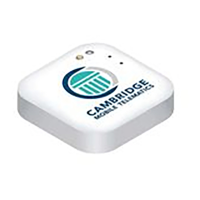
The DriveWell Tag is a BLE device with accelerometer and clock for measuring vehicle dynamics, capturing drive data even without a smartphone.
Requires an iOS or Android smartphone with a cellular network and data plan, with optional Wi-Fi upload.
App requires permission for Location Services and Bluetooth to function correctly.
Install the app, register using activation code, and activate the Tag per on-screen prompts.
Affix the Tag securely on the windshield below the rear view mirror for optimal data recording.
Follow steps including ensuring connectivity, launching app, accepting permissions, selecting vehicle, and activating Tag.
Ensure phone is charged, app installed, Bluetooth/Location enabled, and no physical barriers.
Understand Tag LED and beep patterns for activation status, battery, firmware updates, and phone connection.
Keep Tag dry, never open it, and request replacement if the battery is low.
Wipe the Tag with a clean cloth; avoid fluid entry which may affect functioning.
Device complies with FCC Part 15; operation subject to conditions to avoid harmful interference.
User can correct interference by reorienting antenna, increasing separation, or consulting a technician.
Device complies with Industry Canada licence-exempt RSS standards; equipment meets RF exposure limits.
 General
| Category | Diagnostic Equipment |
|---|---|
| Connectivity | Bluetooth |
| App Support | DriveWell App |
| Compatibility | iOS, Android |
| Data Collected | Driving behavior |

 To Next Page