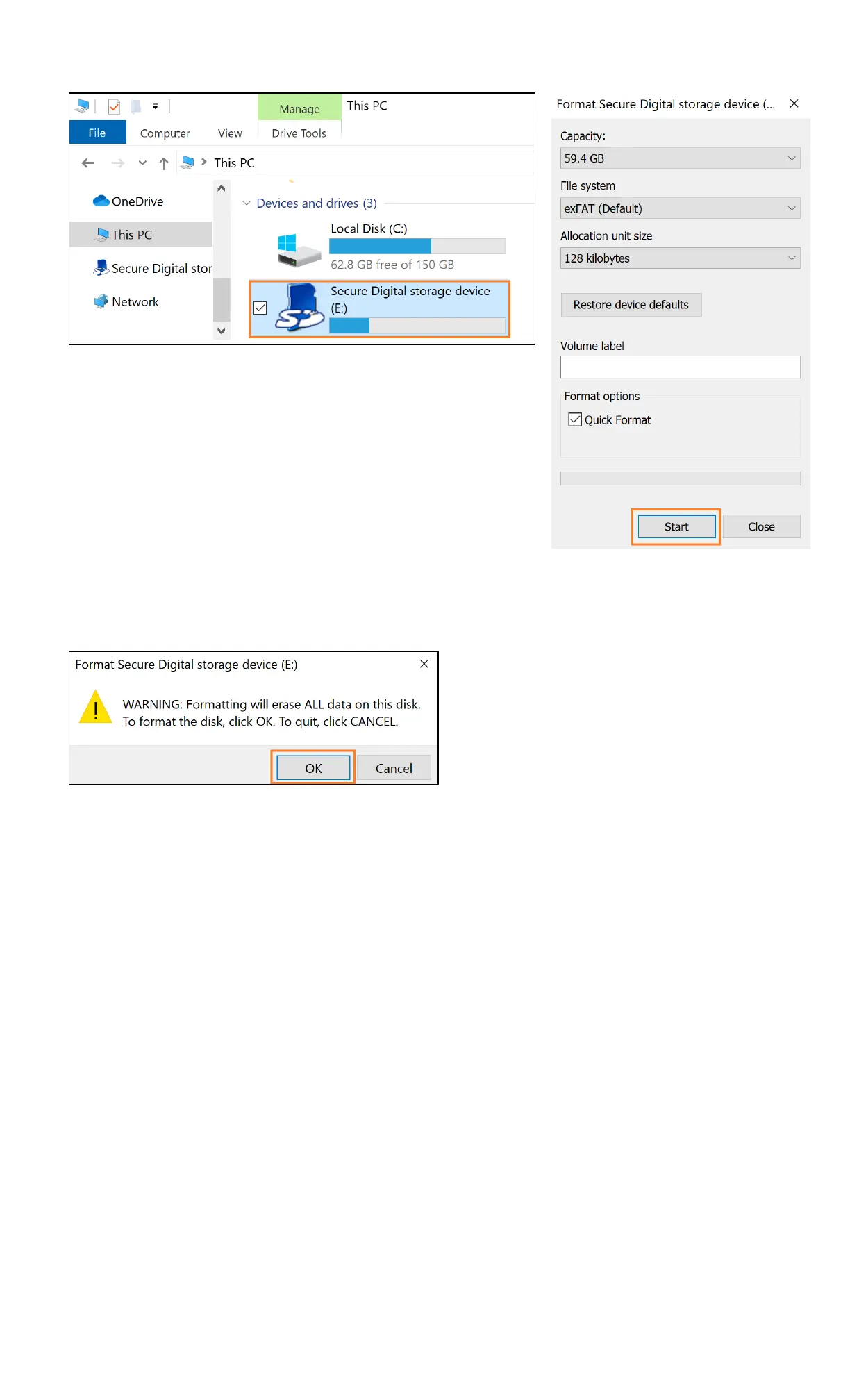
▪ On the computer, open Windows Explorer and find the drive letter for your SD card (P8.3)
▪ Right click, and when the menu appears Click Format
▪ Leave everything as default and click Start to format the card (P8.4)
▪ A warning will appear notifying you that all of the data on the drive will be erased (P8.5)
▪ Click OK to continue to format your card
9. Power OFF Camera
▪ Disconnect the camera from the power charger
▪ Press and hold the Power button on top of the camera until seeing both Red & Blue indicator lights flashing.
The Red & Blue indicators will flash for 7 times and the camera would turn off
OR use the provided pin. Press and hold the reset hole for 3 seconds to force the camera to power off
10. Camera Factory Reset / Password Reset / Setup Reset
10.1 Perform Camera Factory Reset
▪ Long press the Mode button (M) on top of the camera for about 10 seconds to factory reset the camera
▪ After reset, the camera will operate in the Full-time Video Working State (Part 5.1)
10.2 Perform Camera Password Reset
Method 1:
▪ Plug the camera into the USB charger. If the camera is off and you plug it into the charger, please wait for
about 60 seconds until the camera is fully on
▪ Press the power button on top of the camera once
▪ Press and hold the Power button again until the Red & Blue indicators start flashing. The camera will restart
and restore its default password
Method 2:
▪ The camera password can also be reset by going to the camera setting in the iCookyCam app and select
“Restore default password” (Please see Part 3.3 – Camera Setting Interface)


 To Next Page
 Loading...