Page 1 of 6
CM-RQE70A
PIR ‘REQUEST TO EXIT’ DETECTOR
INSTALLATION INSTRUCTIONS
Door Activation Devices
1. GENERAL DESCRIPTION
Camden CM-RQE70A Request-to-Exit Sensor is a passive infrared (PIR)
detector designed for interior use. This device is UL listed as an access
control device under UL 294 Standard and is listed for Class I for UL
Canada under ULC-S319 when it is connected to a UL approved access
control system.
2. FEATURES
• Compact size, designed to mount on door frames
• On-board programming buttons. No dip switches
• (4) factory default operating modes, with the ability to customize mode
attributes
• Makes installation easy and fast
• Selectable Fail Safe/Fail Secure
• (2) Form ‘C’ contacts
• Momentary and latching relay modes
• Secondary activation device input
• Card/keypad input
• Door position switch input
• Request to exit input
• Built-in sounder (adjustable)
• Tamper switch
3. OPERATION
FIGURE 1 - COMPONENT LOCATIONS
FIGURE 1 - MOUNTING LOCATIONS
Self-Test
When power is rst applied to the CM-RQE70A, the sensor will beep
once, then the unit performs a self-test to ensure its major functions are
within acceptable operating parameters. The self-test checks the input
voltage, switch operation and sensor function. If the sensor passes all
tests, there is a single beep and normal operation begins. If the sensor
fails any of the tests, the unit will provide a series of audible beeps
indicating the failure. This is take approximately 30 seconds.
Post-Test Failure Beeps
If the sensor fails a test, the unit will perform one or more short beeps,
followed by a long beep. This series of beeps is repeated continuously.
# of Short
Beeps
Description
1 The IR sensor did not settle to an acceptable level
during the test.
2 One of the 3 buttons, Mode, Parameter or Select is
detected as being pressed.
3 The Source Voltage to the CM-RQE70A is outside
of the range of 12 – 24V
4 The IR sensor is not changing over a large enough
range of values to reach its settle point
Fail Safe vs Fail Secure: Field Selectable
These terms are used to describe the normal operating state of the
output relays. In Fail Safe Mode, the relays will be normally energized.
The relays will de-energize when a person is in the eld of view (normal
operation) or when the power is removed due to an outage or other
external reasons. In Fail Secure Mode, the relays remain de-energized
normally. The relays will energize when a person is in the eld of view
(normal operation). The relays remain de-energized during a power
outage, therefore, keeping the controlled device secure.
(2) #6 x 3/4" Screws
(2) 3/16" Wall Plugs
(2) MOV's
THIS PACKAGE INCLUDES
BP7175
MODE
PARAMETER
ADJUST
LED
LENS
LOCK
DOWN
SCREW
TAMPER
SWITCH
SOUNDER
OUTPUT
RELAY
J4
J2

 Need help?
 General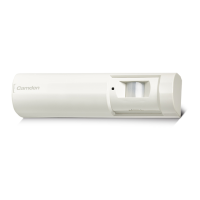

 To Next Page