EasyManua.ls Logo

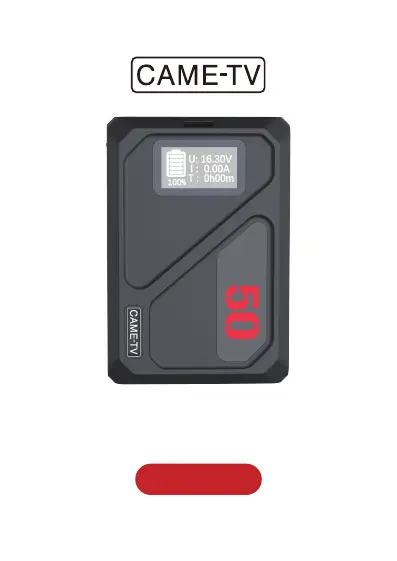
CAME-TV MINI 50C - User Manual

Default Icon
10 pages
Print Icon
To Next Page IconTo Next Page
Loading...
USER MANUAL
MINI 50C

Questions and Answers

Summary

Product Description and Features

Product Appearance and Interfaces

DC and USB Output Ports

Details the 12V DC, 8.4V DC, USB-C, and USB-A output ports.

Mounting and Specialized Interfaces

Highlights the BP and V-Mount interfaces for mounting and power.

Display and Control Button

Identifies the OLED display and the display switch button for operation.

Port Activation and Display Control

Instructions for activating output ports and managing the screen display.

Technical Specifications

OLED Display and Error Codes

OLED Display Information

Explains the real-time display of voltage, current, and remaining usage time.

Protection Fault Codes

Lists and explains various error codes indicating protection mechanisms have activated.

Troubleshooting and Maintenance

Troubleshooting Common Issues

Provides solutions for problems like no power supply and significant heating.

Battery Maintenance Recommendations

Guidance on prompt charging, storage, and environmental conditions for battery longevity.

Cautions and Safety Guidelines

General Usage Cautions

Essential precautions to prevent leakage, overheating, fire, and explosions.

Handling, Cleaning, and Damage Warnings

Guidelines on handling, cleaning, and actions to take if the battery is damaged.

Transportation and Storage

Transportation Guidelines

Recommendations for safe air, sea, and road transportation of the battery.

Safe Handling During Transport

Instructions for packing, handling, and avoiding damage during transit.

Storage and Usage Tips

Storage Environment Requirements

Specifies ideal conditions for storing the battery, including temperature and humidity.

Battery Level Maintenance

Guidance on maintaining battery level for long-term storage to prevent over-discharge.

Protection Feature and Reset

Explains the automatic protection against surges/overloads and how to reset the battery.

Aftersales Service and Contact

Summary

Product Description and Features

Product Appearance and Interfaces

DC and USB Output Ports

Details the 12V DC, 8.4V DC, USB-C, and USB-A output ports.

Mounting and Specialized Interfaces

Highlights the BP and V-Mount interfaces for mounting and power.

Display and Control Button

Identifies the OLED display and the display switch button for operation.

Port Activation and Display Control

Instructions for activating output ports and managing the screen display.

Technical Specifications

OLED Display and Error Codes

OLED Display Information

Explains the real-time display of voltage, current, and remaining usage time.

Protection Fault Codes

Lists and explains various error codes indicating protection mechanisms have activated.

Troubleshooting and Maintenance

Troubleshooting Common Issues

Provides solutions for problems like no power supply and significant heating.

Battery Maintenance Recommendations

Guidance on prompt charging, storage, and environmental conditions for battery longevity.

Cautions and Safety Guidelines

General Usage Cautions

Essential precautions to prevent leakage, overheating, fire, and explosions.

Handling, Cleaning, and Damage Warnings

Guidelines on handling, cleaning, and actions to take if the battery is damaged.

Transportation and Storage

Transportation Guidelines

Recommendations for safe air, sea, and road transportation of the battery.

Safe Handling During Transport

Instructions for packing, handling, and avoiding damage during transit.

Storage and Usage Tips

Storage Environment Requirements

Specifies ideal conditions for storing the battery, including temperature and humidity.

Battery Level Maintenance

Guidance on maintaining battery level for long-term storage to prevent over-discharge.

Protection Feature and Reset

Explains the automatic protection against surges/overloads and how to reset the battery.

Aftersales Service and Contact

CAME-TV MINI 50C Specifications

General IconGeneral
Battery TypeLithium-ion
Capacity50Wh
Output Voltage14.8V
Weight1.3 lbs (0.59 kg)
MountV-Mount

Related product manuals