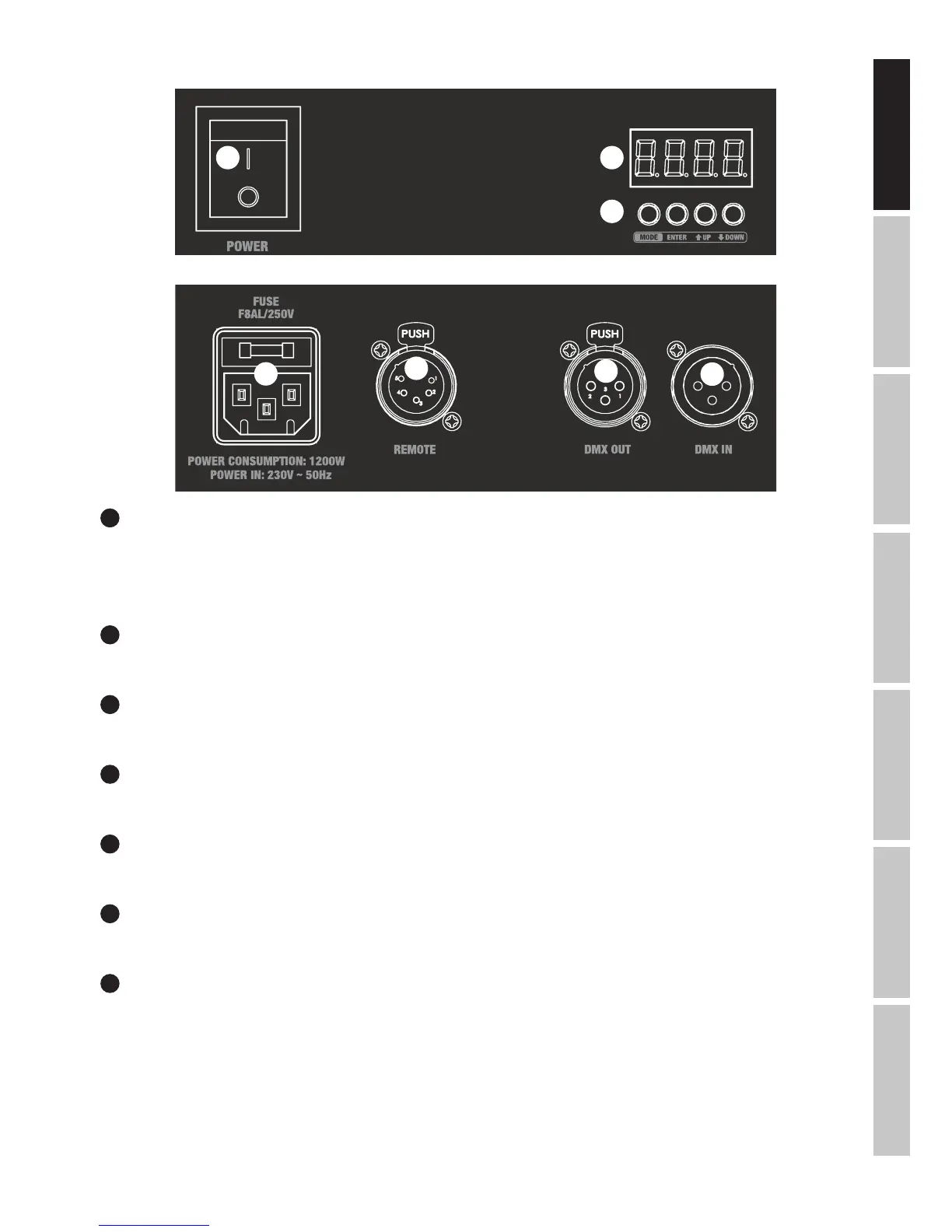
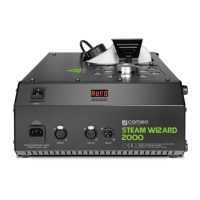
CONNECTIONS, OPERATING AND DISPLAY ELEMENTS
1
POWER IN
IEC mains socket with built-in fuse holder. A suitable power cable is included.
IMPORTANT: Replace the fuse only with a fuse of the same type and of the same value according to the stamp on the device! In the event
of repeated fuse failure, please contact an authorised service centre.
2
POWER
On / Off switch for power supply to the device.
3
REMOTE
5-pin XLR socket for connection of the cable remote control (included).
4
DMX IN
Male 3-pin XLR socket for connection to a DMX control device (e.g. DMX console).
5
DMX OUT
Female 3-pin XLR socket for sending the DMX control signal.
6
LED DISPLAY
The four-digit LED display shows the operating status, mode and other system information.
7
CONTROL BUTTONS
MODE: Selection of menu items. Move up one level in the menu structure.
ENTER: Confirm value changes.
UP and DOWN: Changing DMX address and settings.
2 6
7
1
3
5
4



 To Next Page