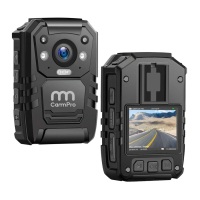
Cam Assistant (Management System)
Connect With Computer
Install driver in computer. (If you install it before, no need to install again. If
no, ask sales to offer driver and installing instruction)
Turn off camera and connect it with computer by USB. (Don't enter
password on camera)
Login The Management System
There are two roles (Administrator and User) for your selection when login.
User can read the camera information and calibrate time, to revise user
password and enter to camera disk are also allowed.
Administrator has the highest authority to manage the cameras.
Login steps: Enter password —Click "connect device"- Click "sign in"
Default password: 000000
Settings
Time setting
Click "calibration time" , camera time will be synced with computer.
Parameter setting
Click "read", the current resolution and the remaining battery capacity of
camera can be checked.


 To Next Page
 Loading...