WELCOME TO CAMMY!
Cammy is a simple security solution that lets you watch over your home, family, pets and possessions
at any time from anywhere. When motion is detected Cammy will record that event, and you will be
able to easily view and act on such events.
This is a guide to help you set up and configure your camera to Cammy.
NOTE: You will need to set up the camera in a place where you have access to both a router
and a power outlet. After the camera is connected to your network, you can position it in your
preferred location plugged into only a power outlet. The camera will still be connected to your
network via Wi-Fi.
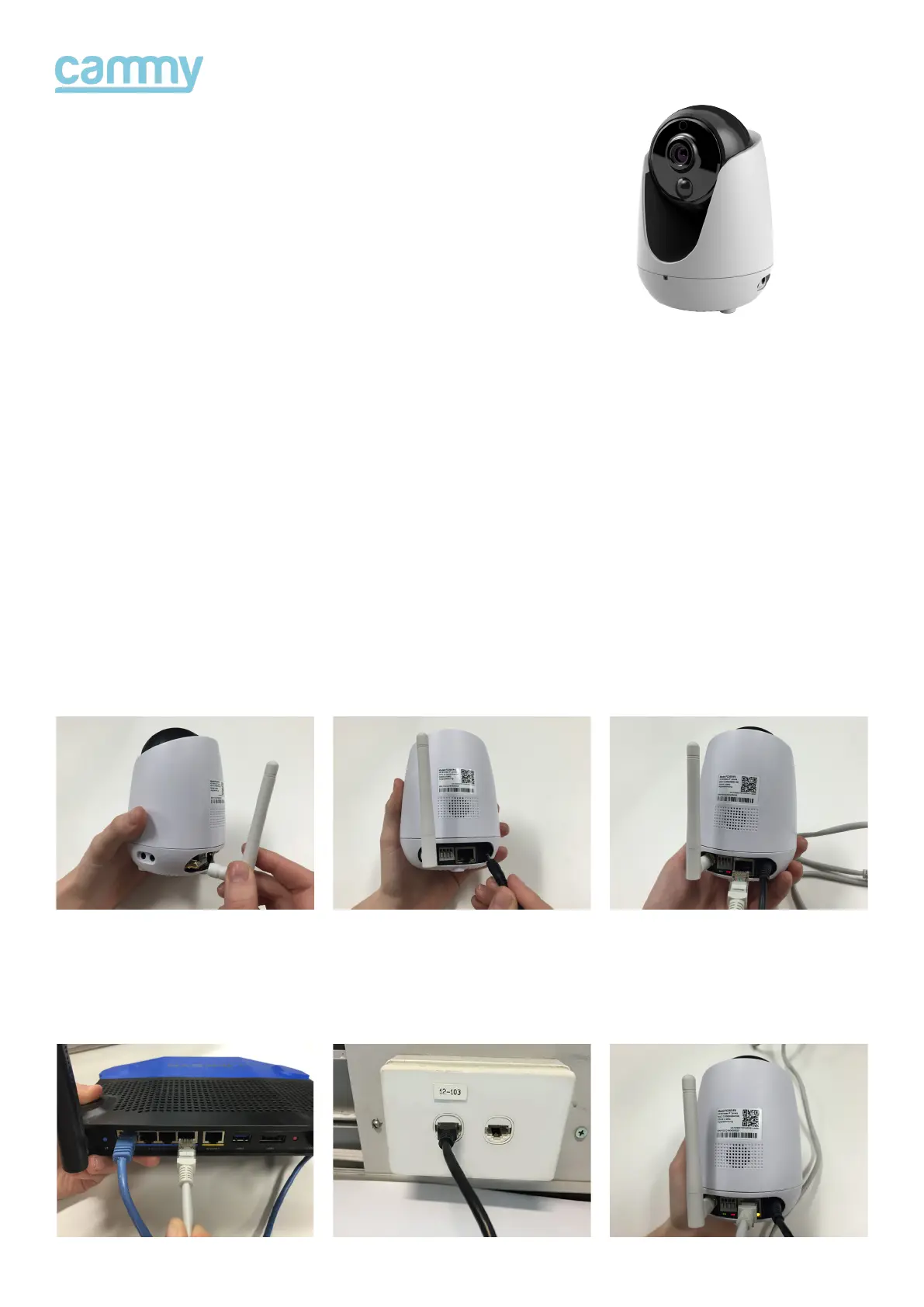
Connect the antenna
Then plug the other
end into your router.
1.
4.
Plug into power
OR via a network port as
shown here.
2.
5.
Plug the network cable
into the camera.
The back of the camera
will show 3 lights
3.
6.


 To Next Page