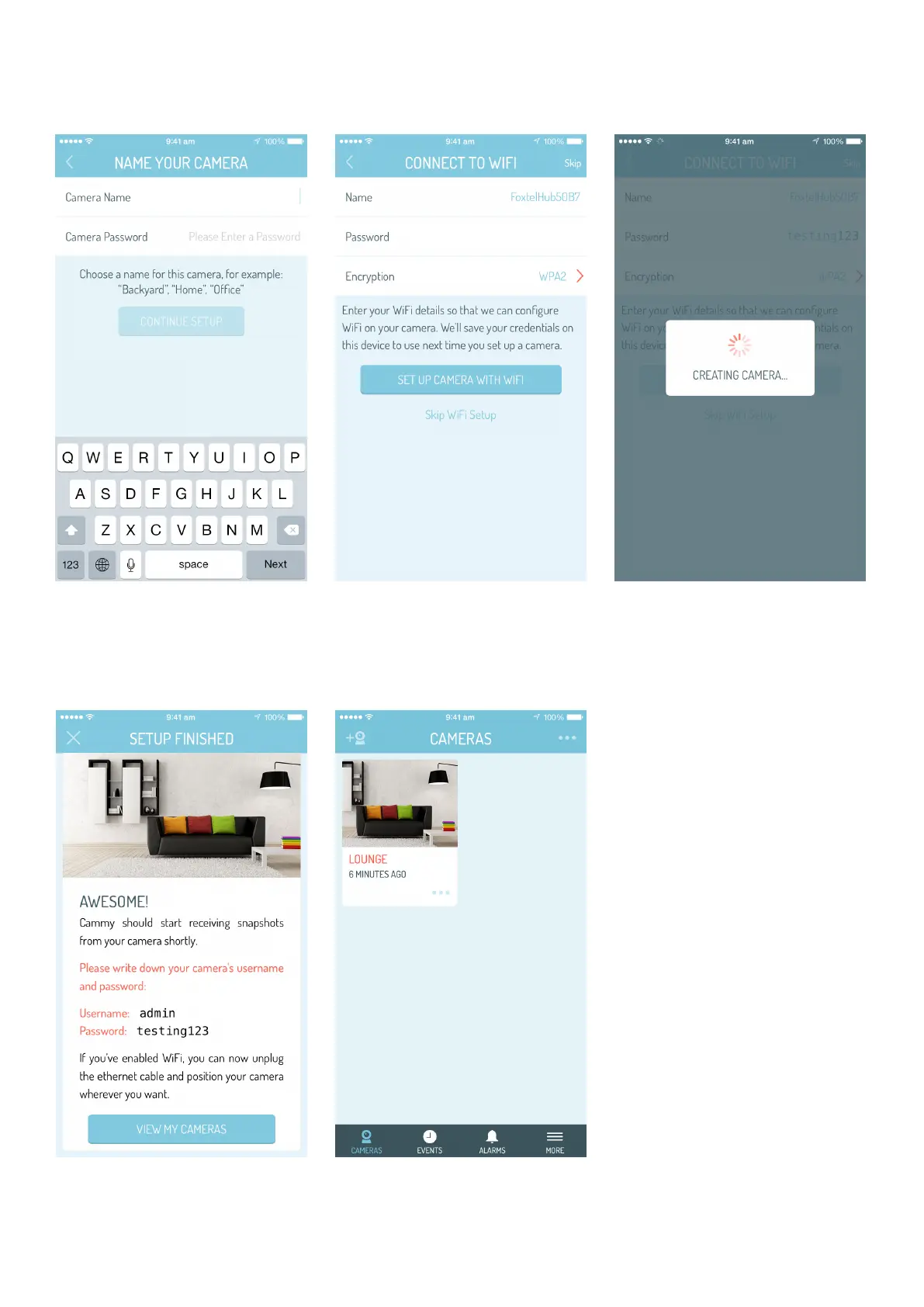
15.
Wait a few seconds
for setup to finalise
Name your camera
and give it a password
13.
Awesome! Scroll and
tap ‘view my cameras’
16.
Enter Wifi password
and tap set up camera
Now it’s time to set up
Home Alarm!
14.
17.
NOTE: Please write down
the camera’s username and
password, you will need it to
‘live view’ your camera later.
You can now unplug your
camera from the modem. If you
purchased Home Alarm please
continue to setup - if not you’re
all finished!


 To Next Page