SD Card Insertion and Formatting
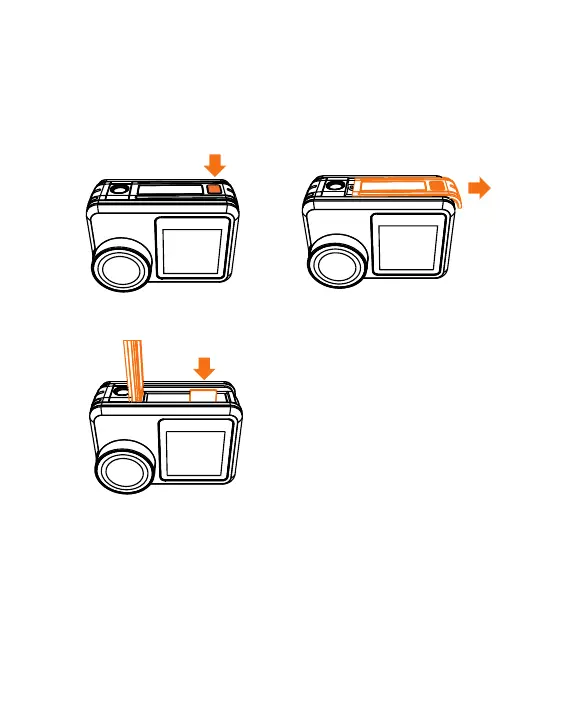
A.SD Card Insertion and Out
· Find the Micro SD card slot in the camera, and insert the card into
the camera as the direction and push inside.
· SD card out: Press down the SD card until you' ve heard a insertion
sound; Then the SD card will pop out along with a pop sound.
1
2
3
7



 To Next Page