2
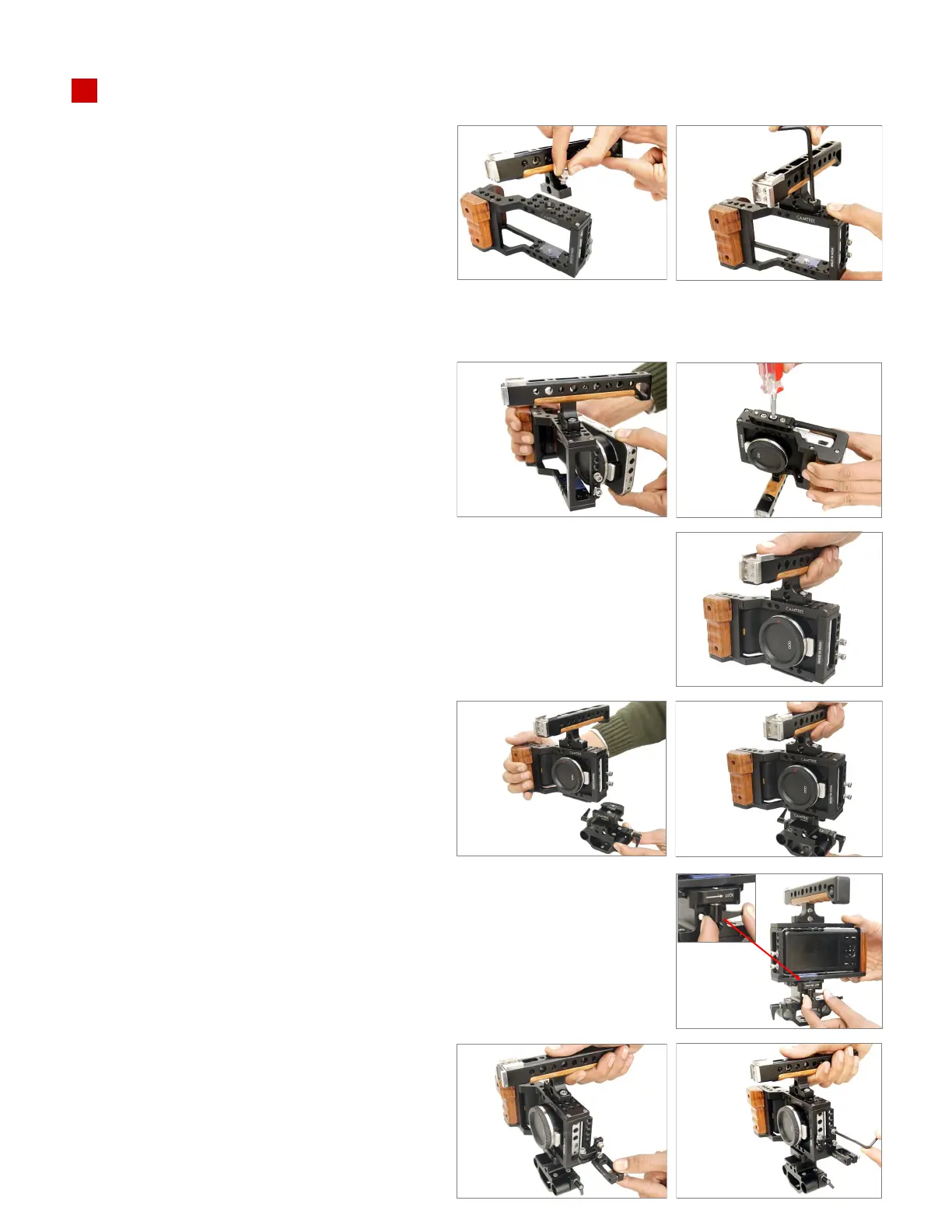
• Place the Blackmagic Pocket Camera
(not included) in the cage and ghten the
1/4mm camera bolt using a screwdriver
(not included).
Camera Cage Setup
• Image showing both handle and camera fully
secured to the cage.
• Tighten the rod adapter lever to secure the
camera and cage further.
• Slide the camera on the rod adapter and
secure it properly.
• Align the 3/10mm bolt on the wire clamp to
the thread on the side of the camera cage.
Tighten the bolt using a 3mm L type allen
key.
• Align the threads of the top handle and the
cage, insert a 3/12mm bolt and secure it with
a 4mm L-type Allen key.
Note: Mulple threads on the cage top allow
you to mount the top handle anywhere on
these threads as per your requirement.



 To Next Page