3
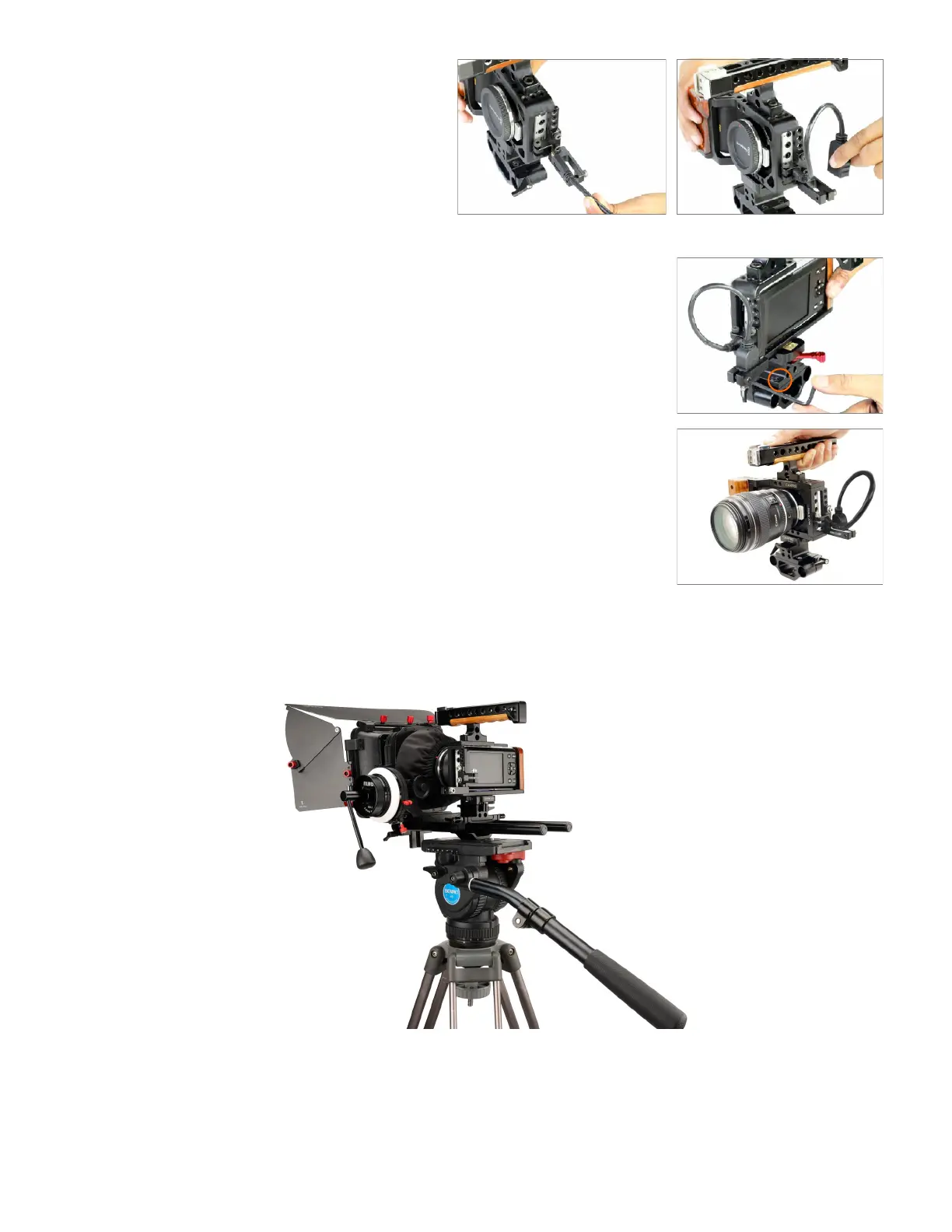
• Tighten the wire clamp with a 4mm L type
allen key.
• Connect one connector of the HDMI cable
(not included) to the Blackmagic Pocket
Camera (not included) and the other
connector to the wire clamp.
Note: Cable Clamp provides strain relief for
HDMI, power, and other cables where frequent
tugging could cause damage to the camera.
• Camtree Hunt Professional Camera Cage
setup is ready to use.
YOUR CAMTREE HUNT PROFESSIONAL CAMERA CAGE
ALL DRESSED UP AND READY TO GO!
(SHOWN WITH OPTIONAL ACCESSORIES)



 To Next Page