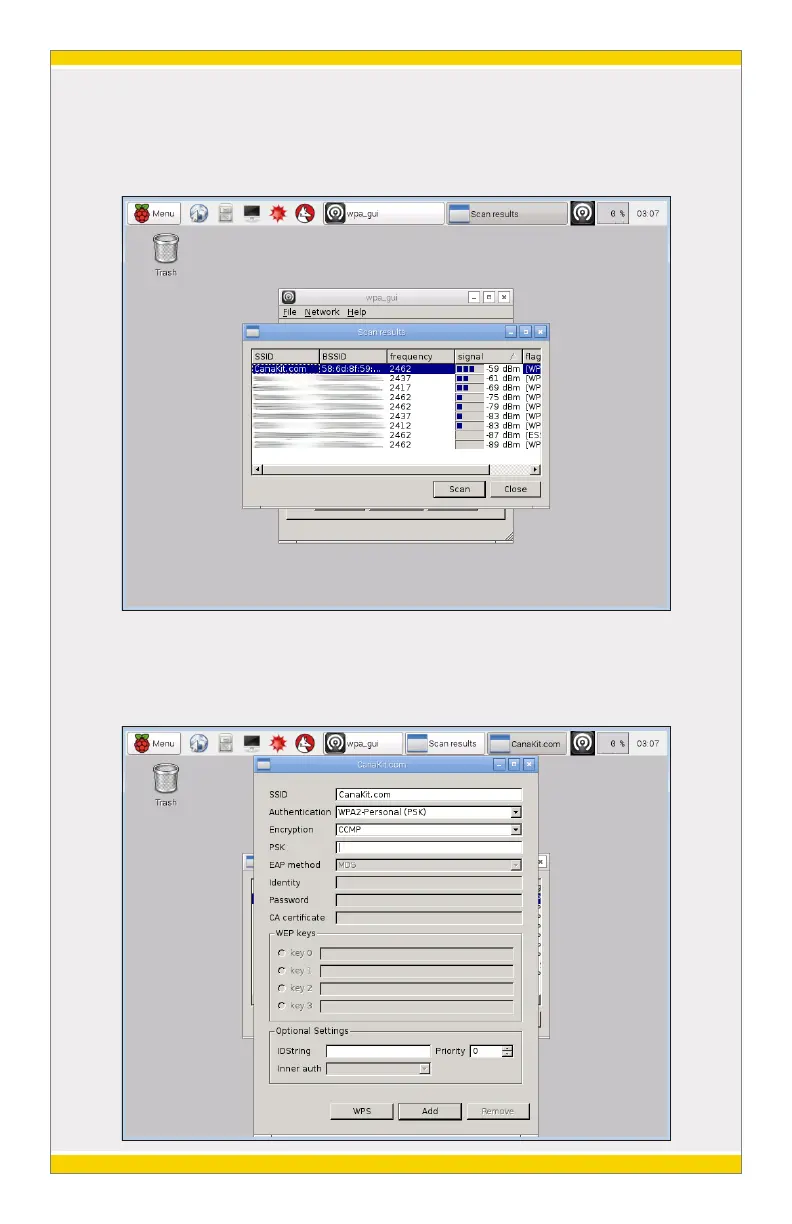
Click on the “Scan” button and new window will open. On this new
windows, you can click “Scan” to update the list of available wireless
networks.
Find your desired wireless network and double click it. A new window will
open that will allow you to enter your network settings. Enter your
wireless network password in the “PSK” field and then click “Add”.
8



 To Next Page