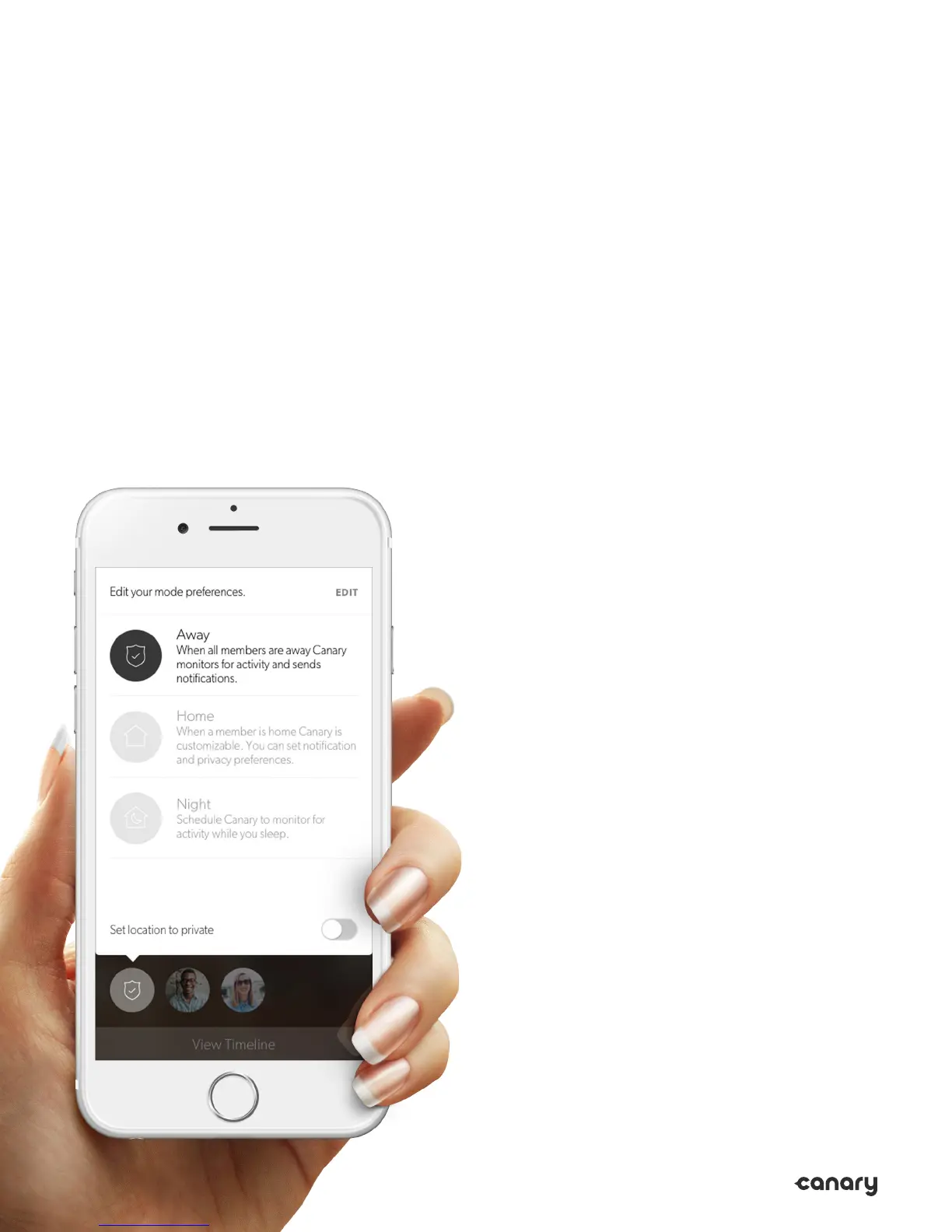
Manually
Switching Modes
You can manually change Canary Flex’s mode
from the Home Screen even if Auto-Mode
Switching is on. To do so, tap the mode icon,
and select the desired mode.
If Auto-Mode Switching is o, Canary Flex
will only change modes when you manually
select a dierent mode. You can change
Canary Flex’s mode by tapping on the mode
icon on the Home Screen, then tapping the
desired mode.
14


 To Next Page