21
•Use only capsules that are specific for this model
• Place a cup under the dispenser
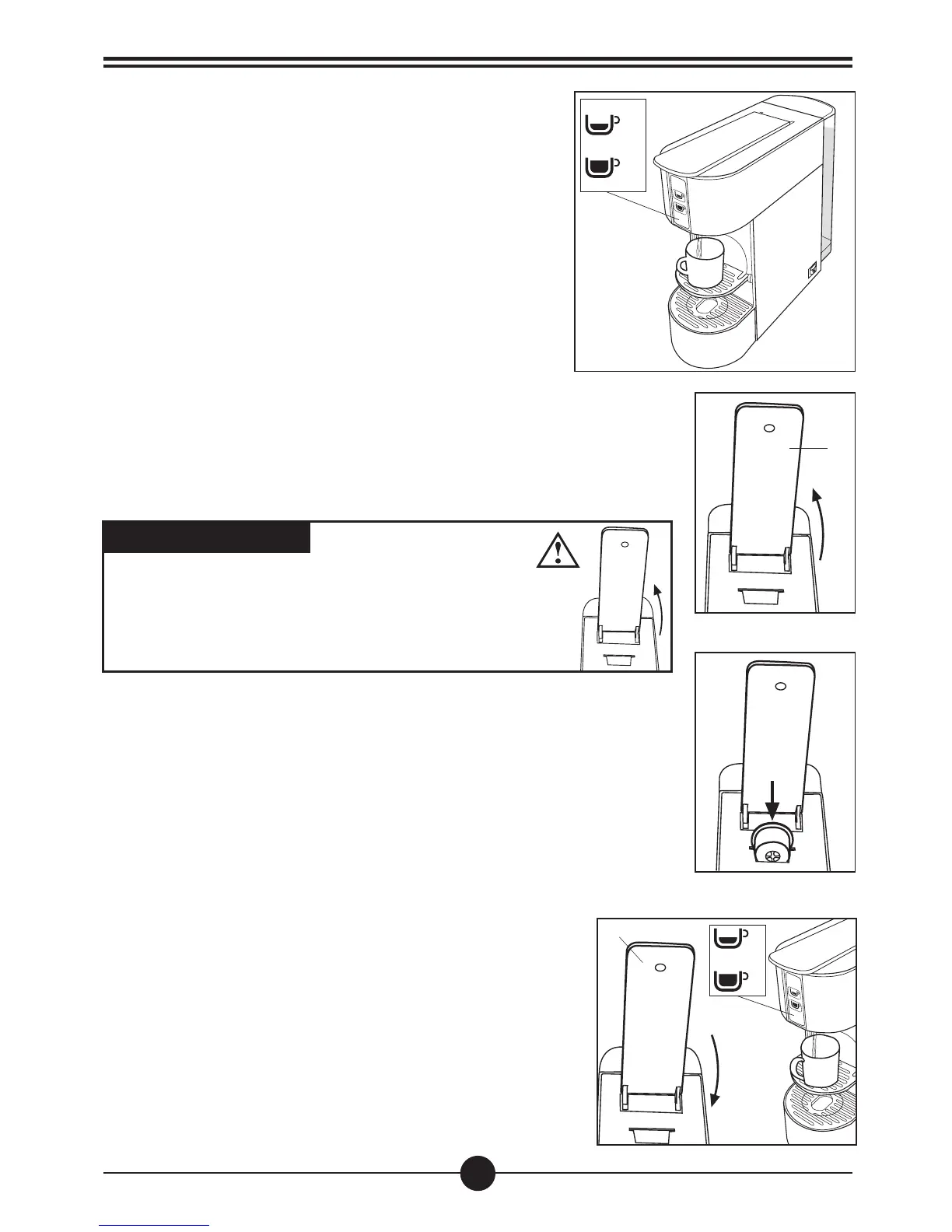
• Slowly lift the control lever (1) backwards (until it stops)
(Fig. 9) and introduce a capsule in the slot provided (Fig. 10)
Preparation of coffee/tea/drinks
USEFUL TIP:
Use thick cups when preparing Espresso and heat them
beforehand. This will keep your coffee warm for longer. Cups
can be heated under hot running water.
• Repeat the steps above for additional cups of coffee/tea
using a new capsule for each drink
• To fully remove the capsule, slowly lift the lever (1). If the
capsule does not come out, repeat the procedure or press
the start button (A) while simultaneously lifting the lever (1)
WARNING:
Before introducing a capsule into the coffee machine,
lift the control lever (1) on the top of the machine slowly
and fully. For proper hygiene, and to preserve the high
product quality, it is advisable to eject the capsule soon
after the drink has been dispensed.
Programming the dispenser buttons
Fig.8
B
A
1
Big cup: Press and hold the button (B). The machine will
start delivering water. Once the desired water level is
reached release the button (B). The machine will then stop
delivering water and the desired quantity will be memorized
for future dispensing. (Fig.8)
Small cup: Press and hold the button (A). The machine will
start delivering water. Once the desired water level is
reached release the button (A). The machine will then stop
delivering water and the desired quantity will be memorized
for future dispensing. (Fig.8)
Close the lever (1) completely and press one of the dispensing buttons:
short (A), big (B) according to your taste (Fig. 11)
NOTE
The machine is equipped with a pre-brewing system: when a dispensing
button (A) or (B) is pressed it starts dispensing, stops for a moment and restarts
automatically.
Fig. 11
Fig. 9
Fig. 10
1
B
A



 To Next Page