09 GB- IE
. STOPPING A COOKING ZONE
- Press the selection button of the required cooking zone.
- Press the "-" button to display heat level . Now the zone goes
off, the indicator goes off after 10 seconds.
- To stop rapidly, press simultaneously the "-" and the
respective cooking zone selection.
The heat level automatically goes down to . The cooking
zone goes off.
. GENERAL STOP
The cooking zones and the timer can be stopped
at any moment by pressing the On-Off button.
. RESIDUAL HEAT INDICATOR
The control panel tells the user when the surface temperature of
the cooking zones exceeds about 60°C, by the following
displaying: . When the temperature goes back below 60°C, the
display goes off.
For ending the cooking, we advise switching off the cooking zone
and using the residual heat of the zone to finish cooking gently.
N.B. After a cut in the current, the residual heat indicator
disappears completely, even if the surface temperature exceeds
60°C.
. OPERATING THE ADDITIONAL COOKING ZONE
(TWO ZONES)
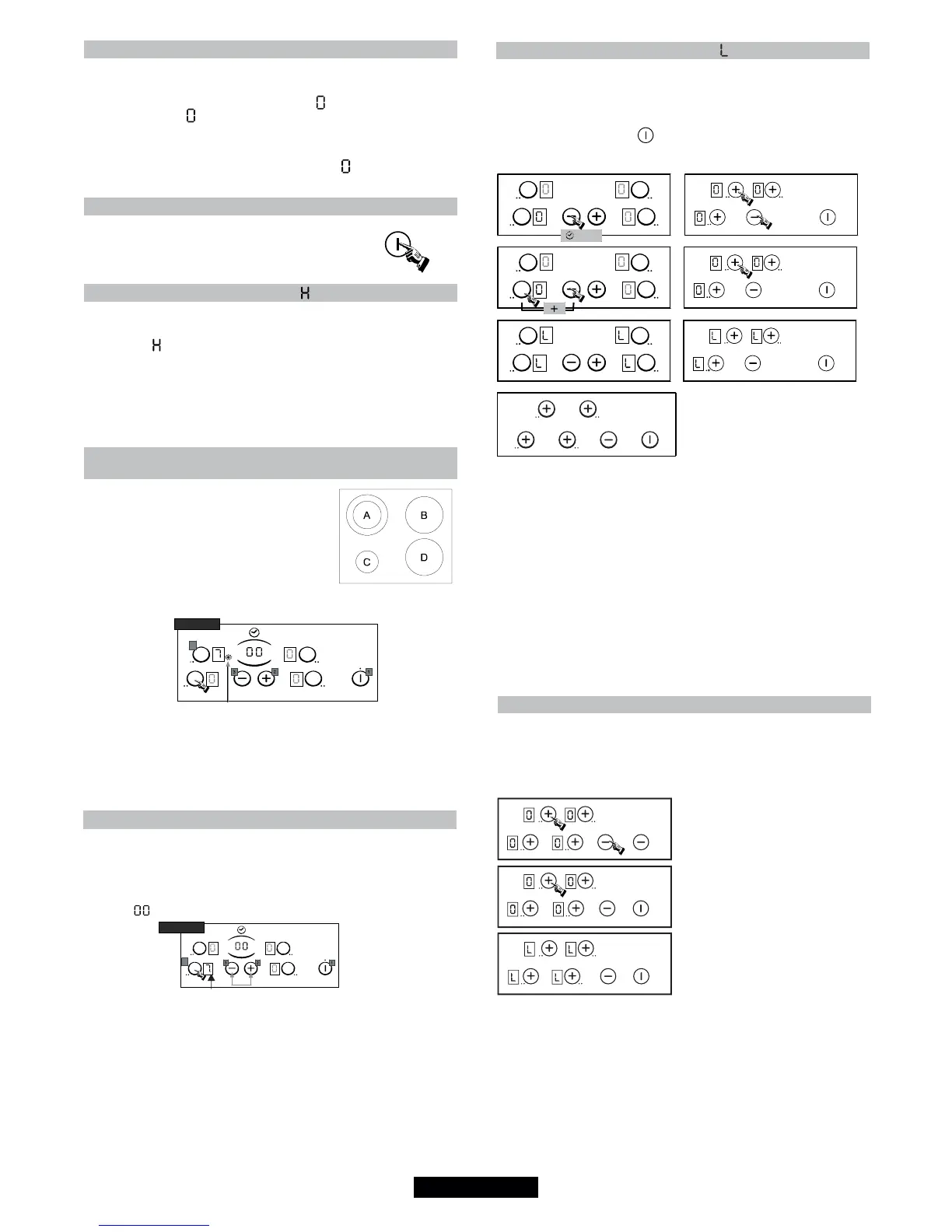
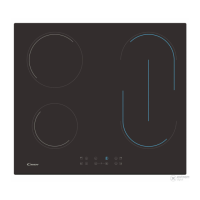
The cooking zone with two zones is
fitted certain models .............................
>
It is active in totality when the cooking zone is in function ; the
control led of the additional cooking is displayed.
To desactivate the additional cooking zone :
- Press again on the additional cooking zone touch. The Led goes
off when it is desactivated.
To re-activate the additional cooking zone :
- Press on the cooking zone button. The Led is active again.
. PROGRAMMING A COOKING ZONE (according to the model)
Every cooking zone can be programmed for a maximum time of
99 minutes.
- Start the required zone by following the previous instructions.
- Press on simultaneously the touch "-" and "+" to activate the
timer, " " is displayed.
- Press again on the "+" button to select a time in minutes
between 0 and 99 minutes or press on the "-" button to decrease
the time between 30 minutes and 0. The timer control led near
the level is displayed.
--> the programmed time can be modified at any moment.
When the time is run, the cooking zone goes off automatically and
an audible beep sounds for 1 minute, press a button to stop it.
--> If any zone is activated, the timer can be used alone, as
reminder, it will ring at the end of the programmed time.
Example
LED
TYPE
B
LED
TYPE
B
7
7
. LOCKING BUTTON OPERATION
The locking function prevents the children from starting the hob.
It is also used for cleaning the hob.
To lock the hob :
- Press the on/off button .
4 zones 3 zones
. The hob is locked, the locking indicator " L " is displayed on all
zones for 20 seconds.
If a cooking zone is at stage "hot", " L " and " H " appear alternately.
To unlock the hob :
. For the hob with 4 zones, to unlock follow the same
procedure.
. For the hob with 3 zones, follow the same procedure but in
the last stage you must to press the "-" touch instead the "+"
touch.
The indication " L " disappears. The hob is unlocked and
returns on stand-by mode.
2 sec
LOCKING BUTTON OPERATION / FOR MODEL CH64
The locking function prevents the children from starting the hob.
It is also used for cleaning the hob.
To lock the hob :
- Press the on/off button and then:
. The hob is locked, the locking
indicator " L " is displayed on all
zones for 20 seconds.
If a cooking zone is at stage "hot", "
L " and " H " appear alternately.
To unlock the hob :
. For the hob, follow the same
procedure but in the last stage
you must to press the "-" touch
instead the "+" touch.
The indication " L " disappears.
The hob is unlocked and returns
on stand-by mode.


 To Next Page