Power Management Function
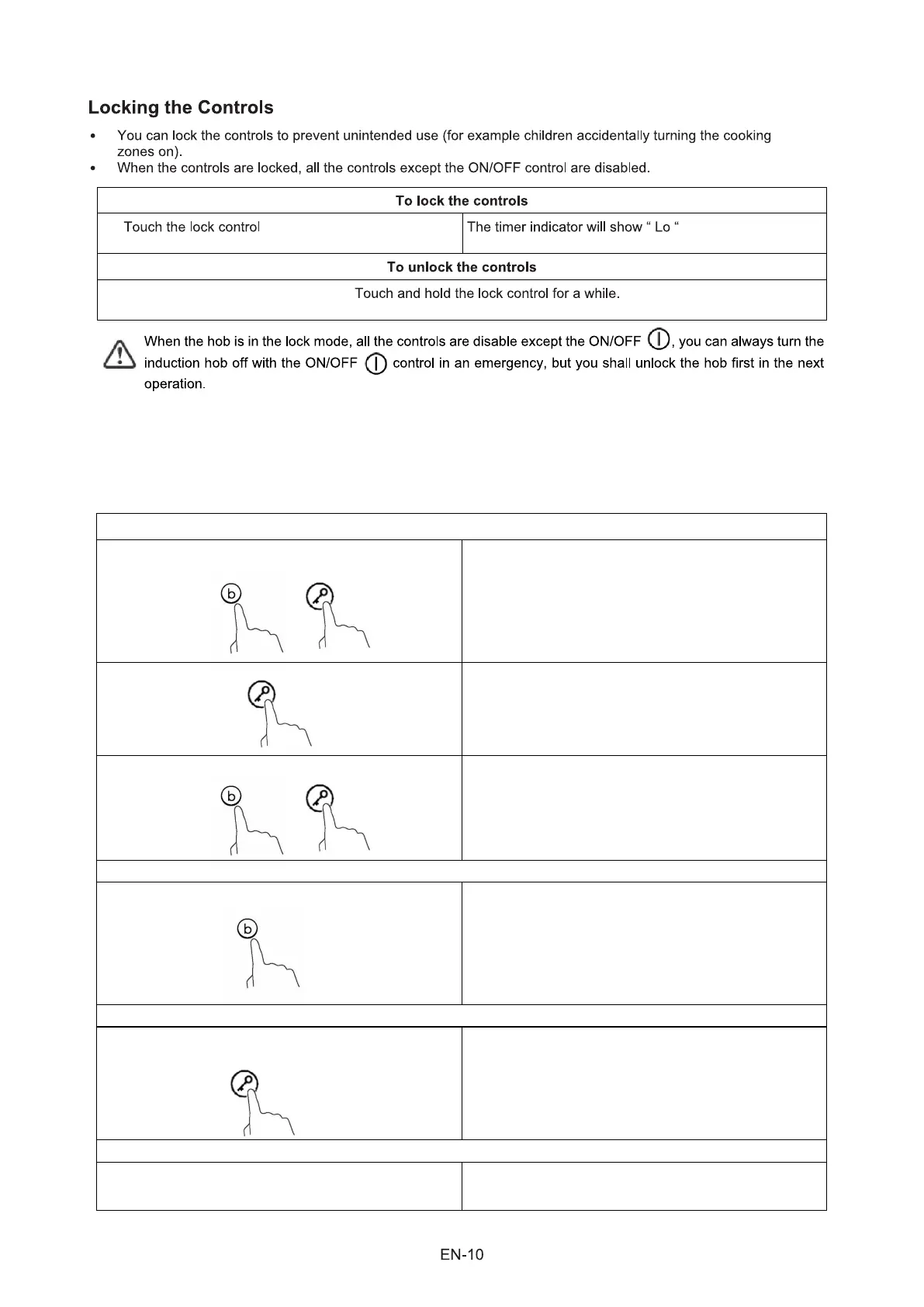
To enter Power Management Function
To switch to another level
Confirmation Power Management Function
Exit Power Management Function
• it is possible to set a maximum power absorption level for the induction hob, choosing up to different power ranges.
• induction hobs are able to limit themselves automatically in order to work at lower power, to avoid the risk of overloading.
• It is not necessary to put any pots on the heating zones. We suggest to start setting within 5 seconds after connecting the
power. You need to enter the power setting mode within 60 seconds to enter Power Management Function.
1. Please be noted that do not turn on the hob. At this
stage, press “Boost” and “Lock” at the same time.
The “S” symbol will be displayed on zone #1.
short press the “Boost” key
There are 6 power levels, from “7.4” to “2.5”.
The timer indicator will show one of them.
“7.4” : the maximum power is 7.4kW.
“6.5” : the maximum power is 6.5kW.
“5.5” : the maximum power is 5.5kW.
“4.5” : the maximum power is 4.5kW.
“3.5” : the maximum power is 3.5kW.
“2.5” : the maximum power is 2.5kW.
After the desired power setting mode is selected,
please press “Lock” key.
When the timer indicator stops flickering, the power
mode is set successfully.
After the setting, make sure to dis-connect the
power and connect it again.
Then the hob will be turned off.
2. Press “Lock” key. The symbol “S” will be displayed on zone #1 and
symbol “E” will be displayed on zone #2.
3. Press “Boost” and “Lock” keys at the same time
again.
The symbol “S” will be displayed on zone #1, “E” will
be displayed on zone #2, and “t” will be displayed
on zone #3. At the same time, the current maximum
power mode (7.4) will be displayed on the timer
indicator.



 To Next Page