14
OPERATION INSTRUCTION
This microwave oven uses modern electronic controls to meet your cooking needs.
1. Clock Setting
When the microwave oven is Powered On, the oven will display "0:00" and the buzzer will
ring once.
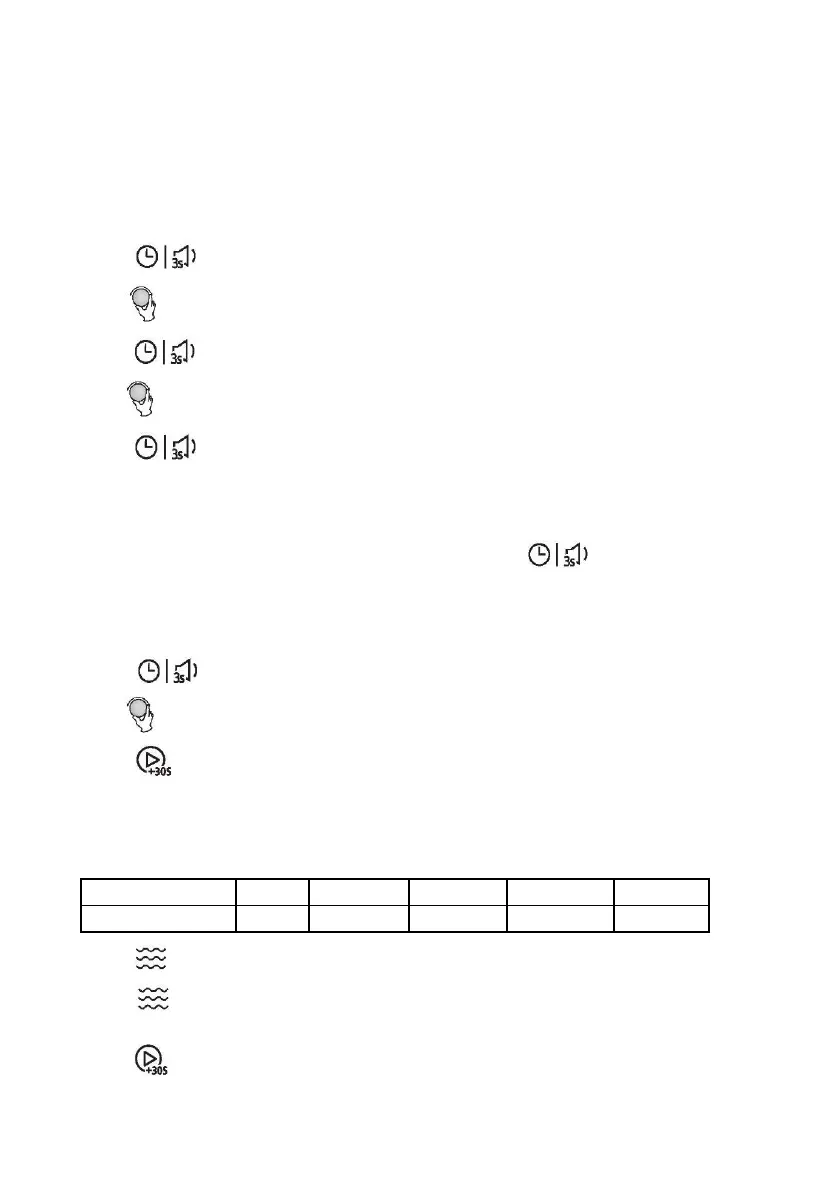
1) Press " " twice. "00:00" display, the hour figures will flash.
2) Turn " " to adjust the hour figures, the input time should be within 0--23(24-hour).
3) Press " ", the minute figures will flash.
4) Turn " " to adjust the minute figures, the input time should be within 0--59.
5) Press " " to finish clock setting. ":" will flash.
Note:
1) If the clock is not set, it would not function when powered.
2) During the process of clock setting, if you don't press " " within 5 minutes, the
oven will go back to the previous status automatically.
2. Kitchen Timer
1) Press " " once, the screen will display 00:00.
2) Turn " " to enter the correct timer. (The maximum cooking time is 95 minutes.)
3) Press " " to confirm setting.
3. Microwave Cooking
Microwave Power Chart
1) Press " " and then “P100” will display.
2) Press " " repeatedly or turn the knob to set the power level. The 5 power levels are
available.
3) Press " " to confirm.



 To Next Page