(1) Set the Clock before proceeding;
(2) Press the " ", the hour digit will flash;
(3) Turn the coding switch to set the hour digit, the setting scope is 0-23;
(4) Press the " ", the minute digit will flash;
(5) Turn the coding switch to set the minute digit, the setting scope is 0-59;
(6) Press " " key to finish the pre-set cooking and return to clock display status.
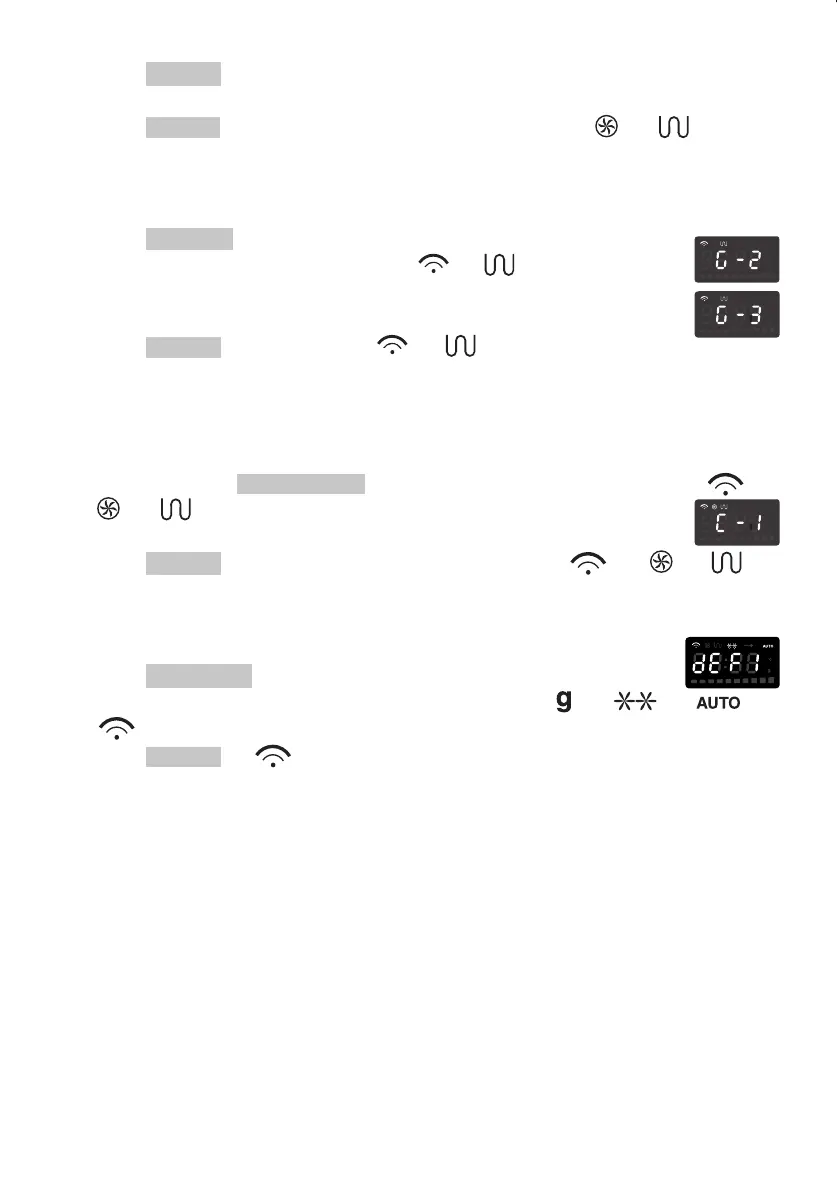
(3). Press " " to confirm the temperature. (Temperature indicator will flash)
(4). Turn the digital switch to input the cooking time.
(5). Press " " to start cooking. Temperature indicator and " ", " " will be
flashing.
4). Micro/Grill Combination Cooking
(1). Press " " once or twice to choose combination function.
The LCD will display "G-2" or "G-3", and " ", " " will be
lighted.
(2). Turn the digital switch to input the cooking time.
(3). Press " " to start cooking, " ", " " will flash .
Note: When Micro/Grill combination cooking begins, the temperature indicator will go out.
5). Microwave + Hot-air Convection Cooking
There are two kinds of combination cooking ways:
(1). Keep on pressing "
" to select one of the combination ways. " ",
" ", " " indicators will be lighted.
(2). Turn the digital switch to input the cooking time.
(3). Press " " to start cooking. Temperature indicator, " ", " ", " "
indicators will flash.
6). Automatic Defrost
(1). Press " ", the LCD display will show "dEF1";
(2). Turn the digital switch to input the weight to be defrosted. " ", " ", " ",
" " will be lighted.
(3). Press " ", " " will flash, which means that the defrosting is beginning.
7). Clock/Pre-Set
Старт/Ok
Старт/Ok
СВЧ+Гриль
Старт/Ok
СВЧ+Конвекция
Старт/Ok
Старт/Ok
Старт/Ok
Разморозка
Часы/Установка
Часы/Установка


 To Next Page