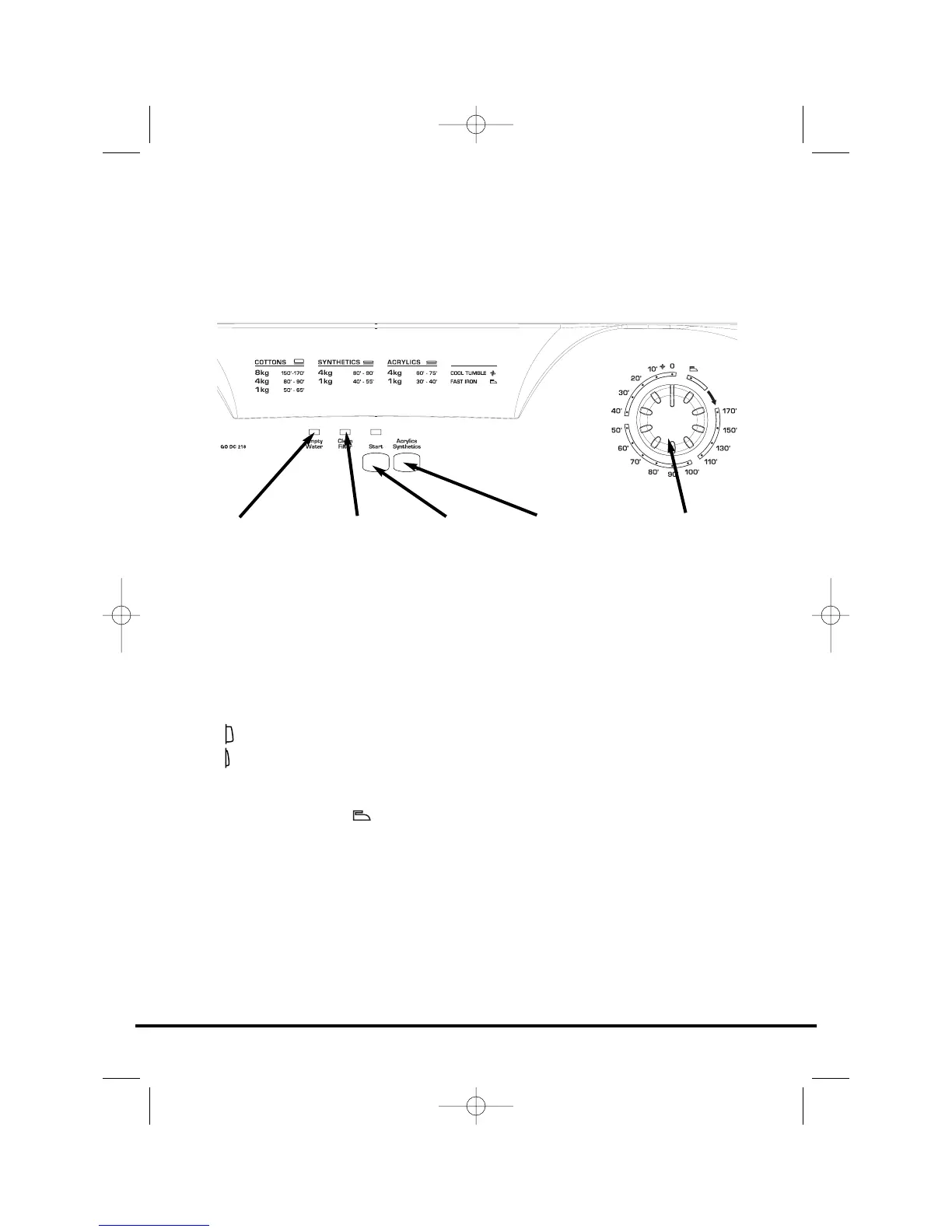
Control panel and indicator lights
Start Button and Indicator – press to switch on,
the indicator will light.
Acrylics Synthetics Button – press to reduce the
heat level for delicate items, press again to select
high temperature.
HIGH heat setting
LOW heat setting
Drying Time Selector – selects the drying time or
the Fast Iron option .
Clean Filter Indicator – lights when the filter needs
cleaning.
Empty Water Indicator – lights when the water
container is full.
11
Controls and indicators
ACRYLICS
SYNTHETICS
BUTTON
CLEAN FILTER
INDICATOR
EMPTY WATER
INDICATOR
DRYING TIME
SELECTOR
START
BUTTON



 To Next Page